

You've got a balance sitting in Arena Plus, and the only thing that matters now is getting it into your wallet without drama. That's the point where most players stop caring about promos, odds, or game menus. They want a payout that lands.
That's also where the difference shows up between a clean arena plus withdrawal and a frustrating one. In the Philippines, ArenaPlus presents itself as a local, regulated option with support for familiar rails like GCash and Maya through its Philippine App Store listing. For Filipino players, that matters. A payout flow built around e-wallets usually feels more natural than a bank-only process.
If you're withdrawing for the first time, the process is manageable. If you've already cashed out before, you know the small details decide whether it goes through smoothly or gets stuck for review. The safest approach is to treat withdrawal as a payment verification task, not just a button tap.
Table of Contents
- From Winnings to Wallet Your Withdrawal Guide
- Preparing for Your First Arena Plus Withdrawal
- The Complete Arena Plus Withdrawal Process Step by Step
- Understanding Withdrawal Limits and Processing Times
- Troubleshooting Common Arena Plus Withdrawal Issues
- Best Practices for Faster Payouts and Contacting Support
From Winnings to Wallet Your Withdrawal Guide
You hit a decent win, open Arena Plus, and expect the money to land in GCash or Maya in a few taps. Sometimes it does. Sometimes a small mismatch turns a quick cash-out into a delay, a rejected request, or a support follow-up that could have been avoided.
That gap matters in the Philippines because players usually cash out through e-wallets they already use every day. Arena Plus is built around that local habit, which is good news for anyone who wants a practical payout route instead of a complicated banking process. But local convenience does not mean every withdrawal is instant.
Arena plus withdrawal works best when three things line up. Your Arena Plus account details are correct. Your chosen wallet is active and fully usable. Your verification status does not leave any open questions for review.
I have seen the same pattern more than once. The players who get paid faster are usually the ones who treated withdrawal setup as part of account setup, not as something to fix after a win. A name mismatch, an old mobile number, or a wallet account with limited access can slow the release even if the withdrawal form itself was submitted correctly.
The practical way to look at it is simple. Arena Plus still has to approve the payout, and GCash or Maya still has to receive it without hitting an account or identity problem on the other side.
A smooth arena plus withdrawal starts before you tap Withdraw. It starts with clean account details, a working local payout method, and no loose ends that can trigger extra checks.
Preparing for Your First Arena Plus Withdrawal
You do not want your first cash-out to be the moment you discover your GCash name is incomplete, your Maya number is old, or your account still needs verification. That is how a routine withdrawal turns into a pending request and a support ticket.
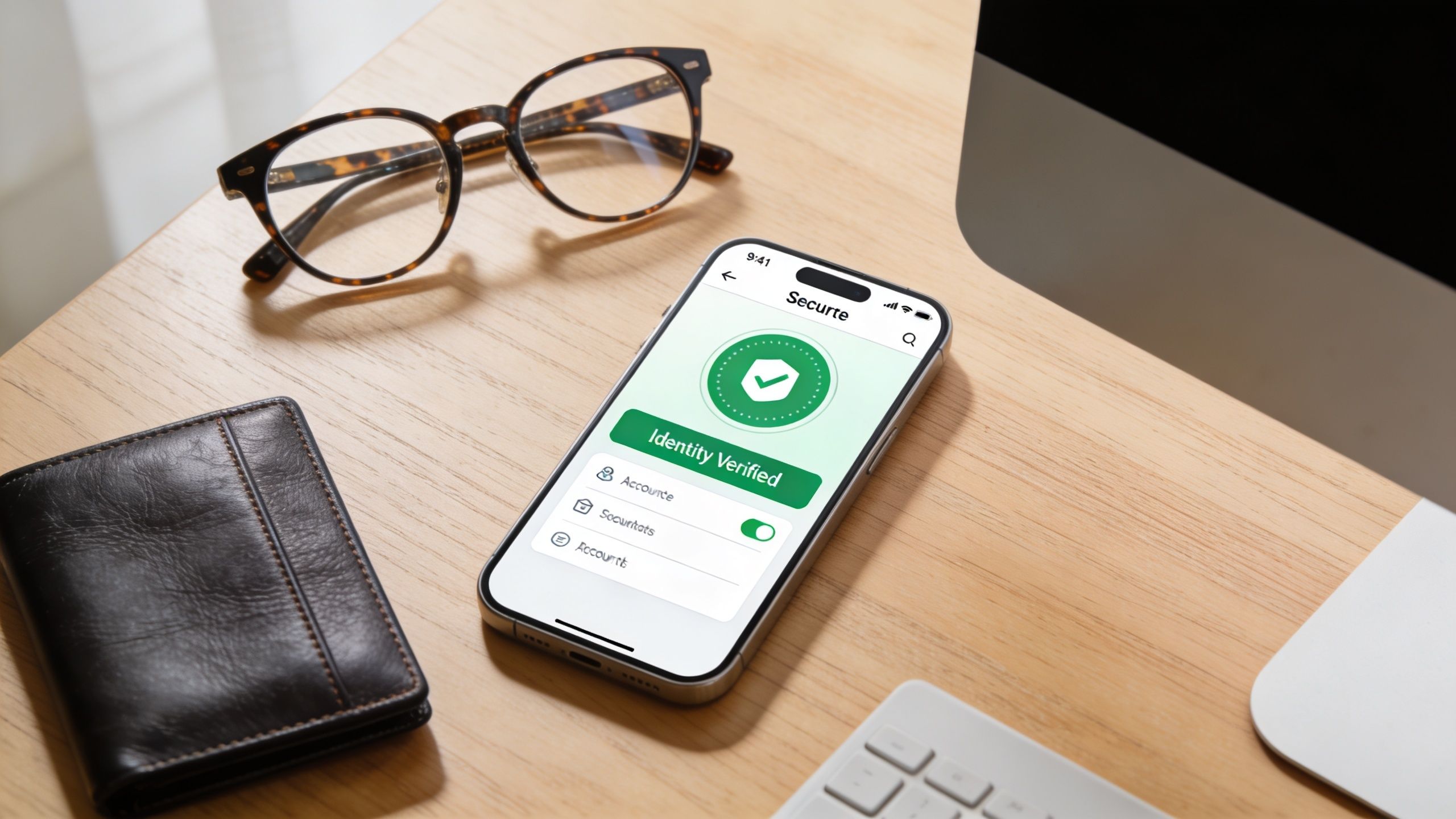
Get your account details aligned early
Before the first withdrawal, check the details that usually cause delays in the Philippine e-wallet flow. Arena Plus may approve the payout on its side, but GCash or Maya can still become the bottleneck if the receiving account details do not line up.
Focus on these checks first:
- Full name match: Your Arena Plus account name should match the name on your GCash or Maya account as closely as possible.
- Active mobile number: Use a number you still control, especially if it is tied to OTPs in your wallet app.
- Verified identity: Prepare a valid government ID and make sure any required account verification is already finished.
- Wallet access: Log in to your chosen wallet before you withdraw. A forgotten password or locked account can delay the handoff.
GCash users should also confirm that the wallet is fully verified and ready to receive funds. If you still need to sort that out, this GCash verification guide for Filipino users is a practical pre-check.
I have seen withdrawals get held over details that looked minor at sign-up. A missing middle name, a nickname in the wallet, or an old SIM linked to Maya can all trigger extra review. Fix those before you request a payout, not after.
Choose your payout method before you win
Pick one payout route and make it your default. For many Filipino players, that means GCash or Maya first, then bank transfer only if needed.
There is a real trade-off here. GCash and Maya are usually more convenient because you already use them for daily payments, but they also depend heavily on clean mobile number and identity matching. Bank accounts can work well too, though they often involve more careful account detail entry and less room for error once submitted.
A practical pre-withdrawal routine looks like this:
- Review your Arena Plus profile details
- Match them against your GCash, Maya, or bank account information
- Open the payment app and confirm you can receive money
- Avoid changing your number, wallet name, or linked details right before cashing out
That prep work saves time later. Once your account and wallet are properly aligned, repeat withdrawals are usually much easier to handle.
The Complete Arena Plus Withdrawal Process Step by Step
The actual withdrawal flow is straightforward. Where players get tripped up is the handoff between Arena Plus and the payment app.
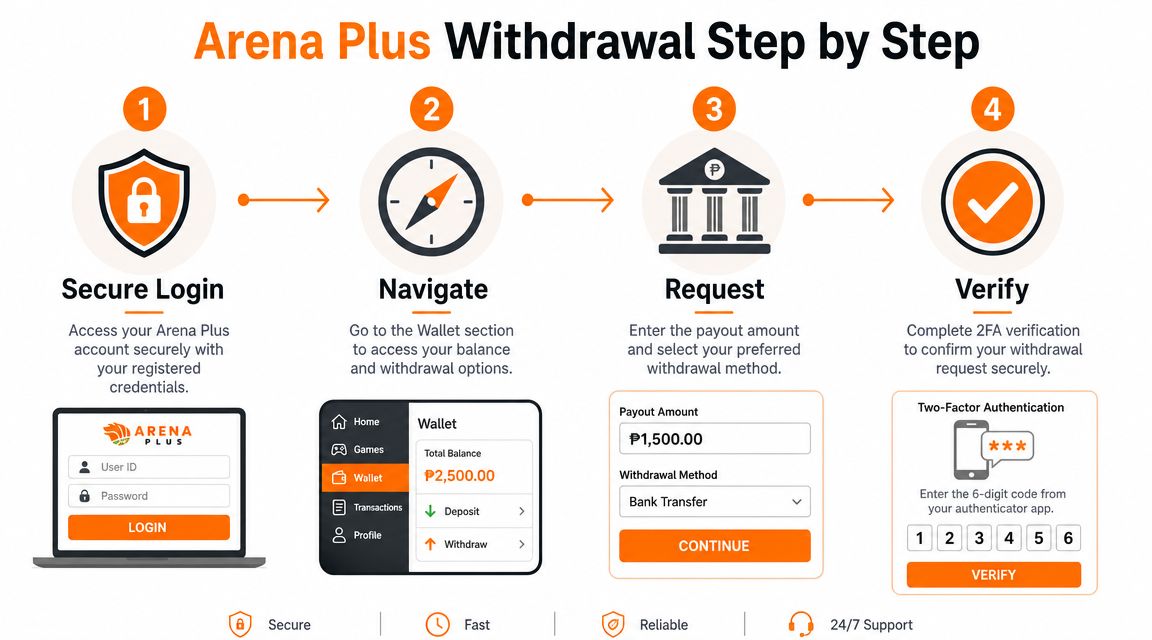
What the actual withdrawal flow looks like
ArenaPlus support-style guidance commonly describes a simple path. You go to the dashboard's withdrawal area, enter the amount, and choose the payout method. If you want to familiarise yourself with the account side first, the account access guide here helps newer users understand where wallet and profile actions usually sit.
For Maya, the public walkthrough is more specific. A video guide showing the ArenaPlus to Maya process lays out a 6-step method:
- Use the Astig icon
- Select Withdraw
- Choose Maya
- Input the amount
- Accept the Terms & Conditions
- Authenticate inside the Maya app using your registered mobile number, password, and OTP
That last step matters more than many realize. The withdrawal isn't finished just because you tapped submit on Arena Plus. You still need to complete the wallet-side authentication properly.
Why Maya withdrawals fail even when the app works
The Maya route is effectively a two-system verification chain. Arena Plus starts the request. Maya completes the identity confirmation. If either side sees mismatched information, the flow can break.
The most common practical issue is simple. The Maya account details need to match the mobile number registered with Arena Plus for the linking and withdrawal step to complete cleanly. When the numbers don't line up, players often think the withdrawal page is broken. Usually, it isn't. The identity chain just didn't validate.
Here's the cleaner way to handle it:
- Use the same number throughout: Don't try to withdraw to a Maya account tied to a different active mobile number.
- Finish the wallet authentication immediately: Don't leave the OTP step hanging and expect the request to sort itself out.
- Double-check the amount before confirming: Fixing a wrong amount after submission is harder than slowing down for a few seconds.
- Wait for the follow-up confirmation: The same Maya guide notes that users receive an SMS confirmation after processing.
A withdrawal request only feels instant on the front end. On the back end, it's checking identity, method compatibility, and release approval.
If you understand that, the process makes more sense. The menu is the easy part. Matching details across both systems is what keeps the withdrawal moving.
Understanding Withdrawal Limits and Processing Times
Withdrawal speed on Arena Plus depends less on the button you tap and more on the route your payout takes after submission. A GCash or Maya cash-out usually feels faster for Philippine players because the money goes straight to an e-wallet you already use day to day. Bank transfers can still work fine, but they usually involve more waiting once the request leaves Arena Plus.
According to the platform guidance discussed in this ArenaPlus withdrawal overview, most withdrawals are processed within 24 to 48 hours. The same source says e-wallet withdrawals are typically faster than bank transfers, while bank releases may take a few additional business days after approval.
That 24 to 48 hour window is the practical expectation, not a guarantee.
In actual use, there are two clocks running. First, Arena Plus has to review and approve the request. Second, your selected payout channel has to post the funds properly. That is why a GCash or Maya withdrawal can still take time even if e-wallets are the faster option on paper.
Arena Plus Withdrawal Options at a Glance
| Method | Typical Processing Time | Minimum Amount |
|---|---|---|
| E-wallet such as GCash or Maya | Commonly within the general 24 to 48 hour processing window, often quicker than bank transfer after approval | A small platform-set minimum |
| Bank transfer | May take a few business days after approval | A small platform-set minimum |
For local players, the better strategy is simple. Use GCash or Maya if speed matters, especially if you plan to cash out smaller wins more often. Use bank transfer if that is your preferred holding account, but expect a slower release cycle and more room for banking-day delays.
If you also compare Arena Plus with other wallet-friendly payout setups, this guide to games that can earn money thru GCash gives useful local context.
One practical tip from experience. Avoid withdrawing at the exact moment you hit a win streak if your balance is still close to the minimum threshold shown in your account. Small mismatches between what you think is withdrawable and what the system allows can waste time. Check the displayed minimum inside the cashier page before submitting, then cash out once the amount clearly qualifies.
Troubleshooting Common Arena Plus Withdrawal Issues
Players don't complain about withdrawals when they arrive cleanly. They complain when the request sits too long, fails without a clear reason, or leaves them unsure what happened next.
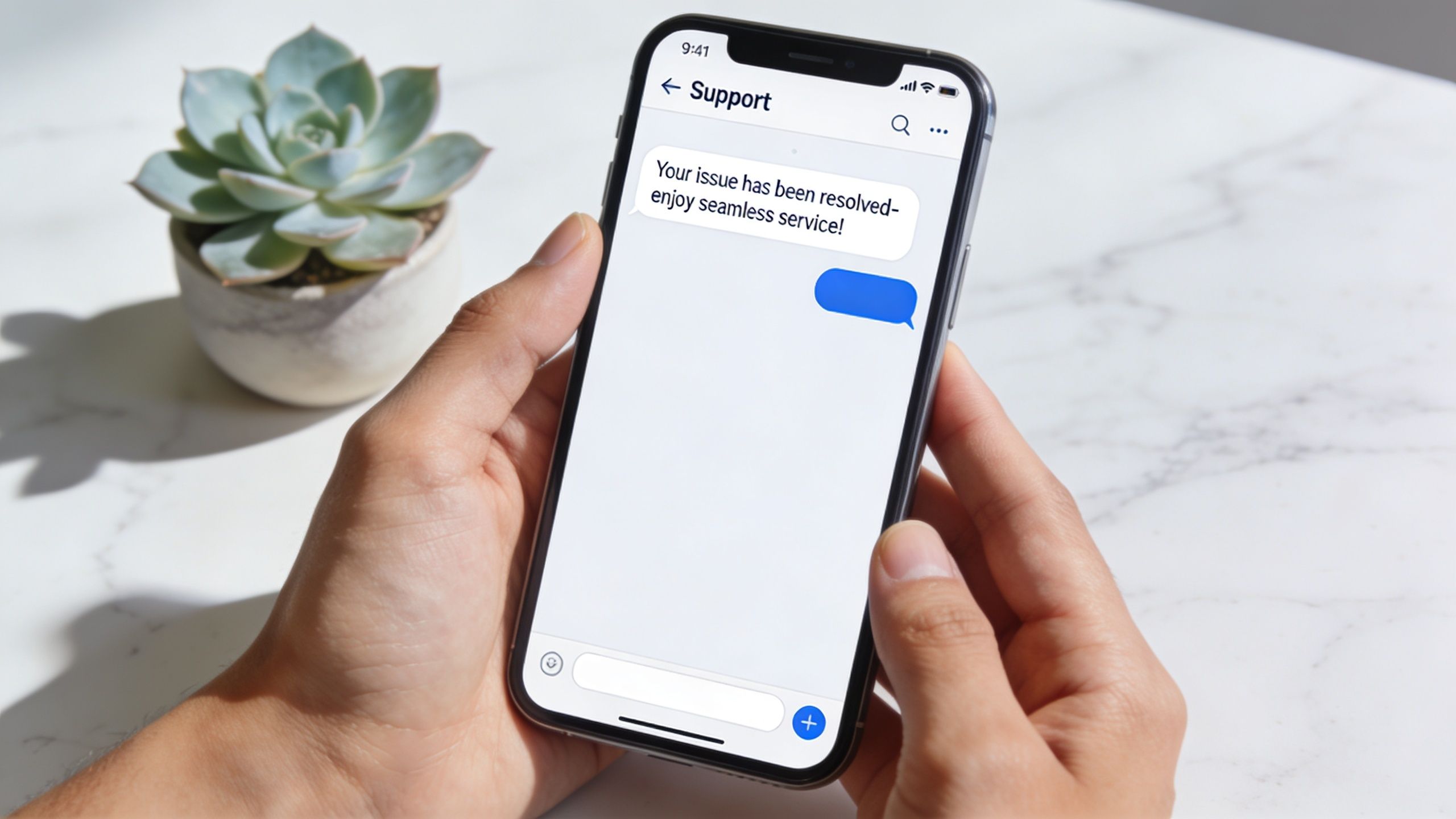
A public article focused on Arena Plus withdrawal issues reported by users identifies recurring complaints around delayed withdrawals, failure to withdraw, and inadequate customer service. It also says some bettors report waits lasting “several days, even weeks”, which can lead to “loss of trust” and “reduced engagement.”
That tells you two things. First, the official process and the lived experience don't always match. Second, once a withdrawal goes wrong, the actual job is diagnosis.
When the withdrawal is delayed
A delay doesn't always mean the money is lost. It often means the request hit a verification stop.
Check these first:
- Pending wallet authentication: You may have started the request but not completed the second step properly.
- Profile mismatch: Name or mobile number differences can trigger a review hold.
- Unfinished verification: If the account still needs identity confirmation, the payout can stall.
- Method choice: Bank routes tend to move more slowly than e-wallet routes.
One good habit is to avoid opening multiple support complaints too quickly. That can make tracking harder on your side, especially if you don't keep screenshots.
When the withdrawal fails outright
A failed cash-out usually points to a specific mismatch or input problem, not a mystery error.
Common causes include:
Wrong wallet selected
You intended to use Maya or GCash, but the payout destination didn't match your prepared account.
Non-matching mobile number
This is a frequent issue on e-wallet withdrawals because the wallet identity has to line up with your Arena Plus registration.
Incorrect amount
Requests can fail if the entered amount doesn't align with the method's rules or your available balance.
Incomplete confirmation flow
You left the app, missed the OTP, or didn't finish the authentication stage.
For players who also explore other local gaming platforms, this Mega Panalo Casino page is useful as a comparison point for how different payout ecosystems feel in practice.
Here's a walkthrough that helps visual learners when a cash-out issue appears:
What to prepare before contacting support
Don't message support with only “my withdrawal is delayed”. That rarely gets a fast result.
Prepare these first:
- Your username
- The payment method used
- The date and time of the request
- Any transaction reference shown in-app
- Screenshots of the withdrawal status and wallet-side result
The clearer your support message is, the easier it is for an agent to trace the request instead of sending you a generic reply.
Best Practices for Faster Payouts and Contacting Support
Fast arena plus withdrawal results usually come from discipline, not luck. Players who cash out smoothly tend to repeat the same habits every time.
A routine that usually works better
Use one payout method as your default and stick to it unless there's a good reason to switch. Frequent changes create more room for mismatches.
A practical routine looks like this:
- Keep one primary wallet ready: GCash or Maya works best when it's already active and consistent with your Arena Plus details.
- Review every field before submission: Most withdrawal pain starts with one wrong number or one outdated account detail.
- Withdraw on a stable connection: Don't risk interruptions during the wallet authentication stage.
- Avoid account changes near payout time: Changing numbers, updating profiles, or resetting wallet access right before cash-out invites review.
If you play across different mobile-first products, this 90 JILI app page is another reminder that simple payment flows usually reward consistency more than experimentation.
How to contact support without wasting time
When support becomes necessary, lead with facts. Give the account name, method used, request timing, and screenshots in your first message. Don't make the agent guess what happened.
Maintain a direct and calm tone. Inquire if the request is currently pending verification, rejected, or has been released to the payment provider. This inquiry helps identify the specific bottleneck.
A clean withdrawal setup solves most problems before they start. When it doesn't, organised reporting gives you the best chance of getting a useful answer quickly.
If you want a locally focused gaming option with familiar payment behaviour, trusted providers, and a beginner-friendly offer, have a look at Insta Play Online Casino. It's built for Filipino players who value a PAGCOR-licensed environment, straightforward access, and a broad mix of casino content in one place.



[…] you have dealt with other betting platforms, the same habits apply everywhere. Guides like Arena Plus payout steps for 2026 reinforce the same lesson. Successful withdrawals usually come from using the cashier correctly, […]
[…] Even routine player questions around cash-out timing, such as those covered in this guide to Arena Plus withdrawal steps and processing, can become avoidable support cost if product flows and self-service content are […]