

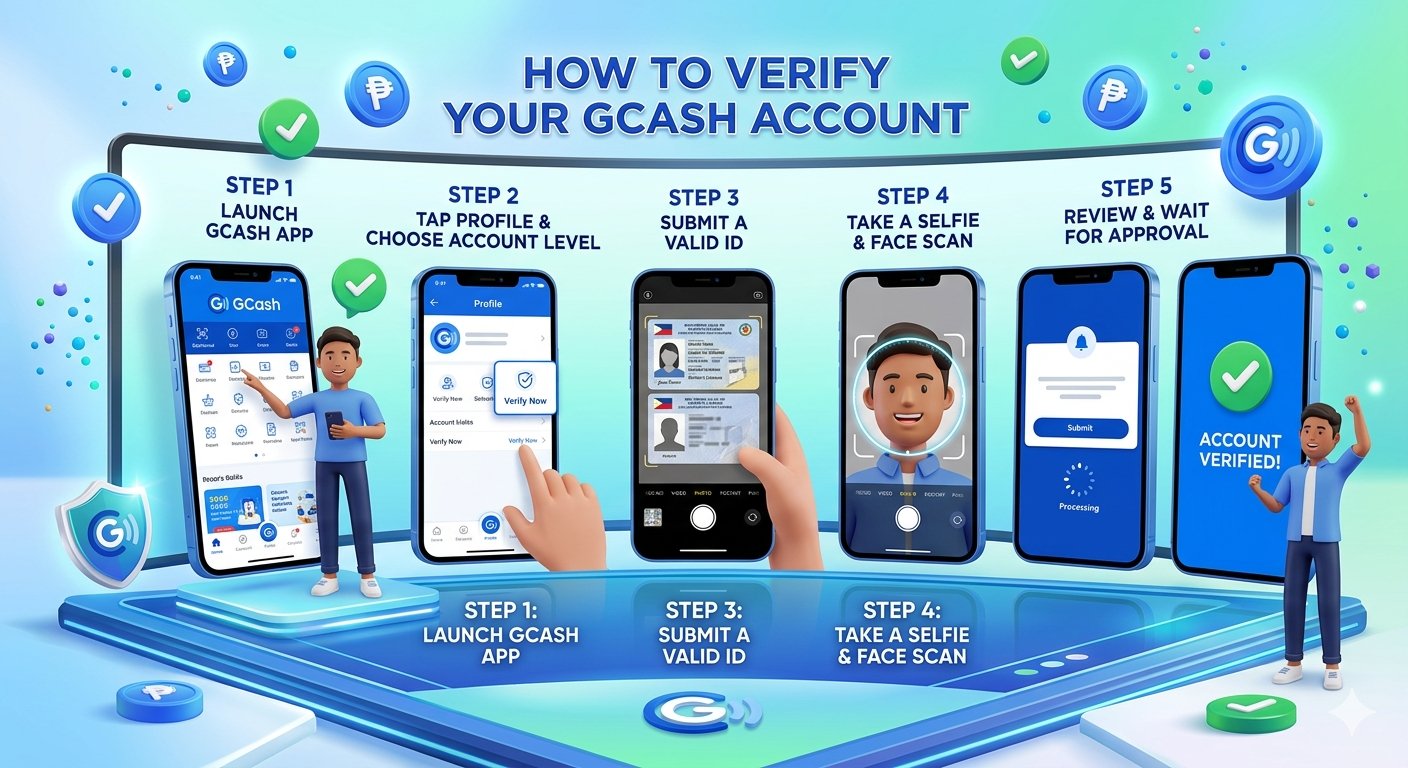

You’re probably here because you tried to cash in to a gaming site, tapped GCash, and got stuck at the same annoying point: verification required. That moment usually happens right when you’re ready to deposit, claim a welcome offer, or withdraw winnings, and suddenly a wallet you already use for everyday payments feels incomplete.
To verify gcash account status, you’ll need to follow a few simple steps that ensure all requirements are met. First, gather all necessary documentation before beginning the verification process. This preparation will help streamline your experience.
The good news is that the fix is straightforward when you do it properly the first time. If you want to verify gcash account access for gaming, the process isn’t just paperwork. It’s what turns GCash from a limited wallet into one that works smoothly for deposits and withdrawals on regulated platforms. For Filipino players, that matters because a failed verification almost always shows up at the worst possible time. If you want to learn how to verify gcash account effectively, stay tuned.
| Item | What to check |
|---|---|
| Full name | Match the ID spelling exactly |
| Personal details | Follow the document, not memory or nickname |
| Uploaded images | Review them before final submission |
| Overall consistency | Make sure the selfie, ID, and typed details all line up |
Don’t guess. Don’t shorten names casually. Don’t rush because the process looks nearly finished. This last screen often decides whether you get a smooth result or spend extra days fixing preventable errors.
Solving Common GCash Verification Problems
Most GCash verification problems come from a small set of repeat issues. The good thing is that these are usually fixable once you know the cause. Random retries rarely help. A targeted fix does.
When your ID photo gets rejected
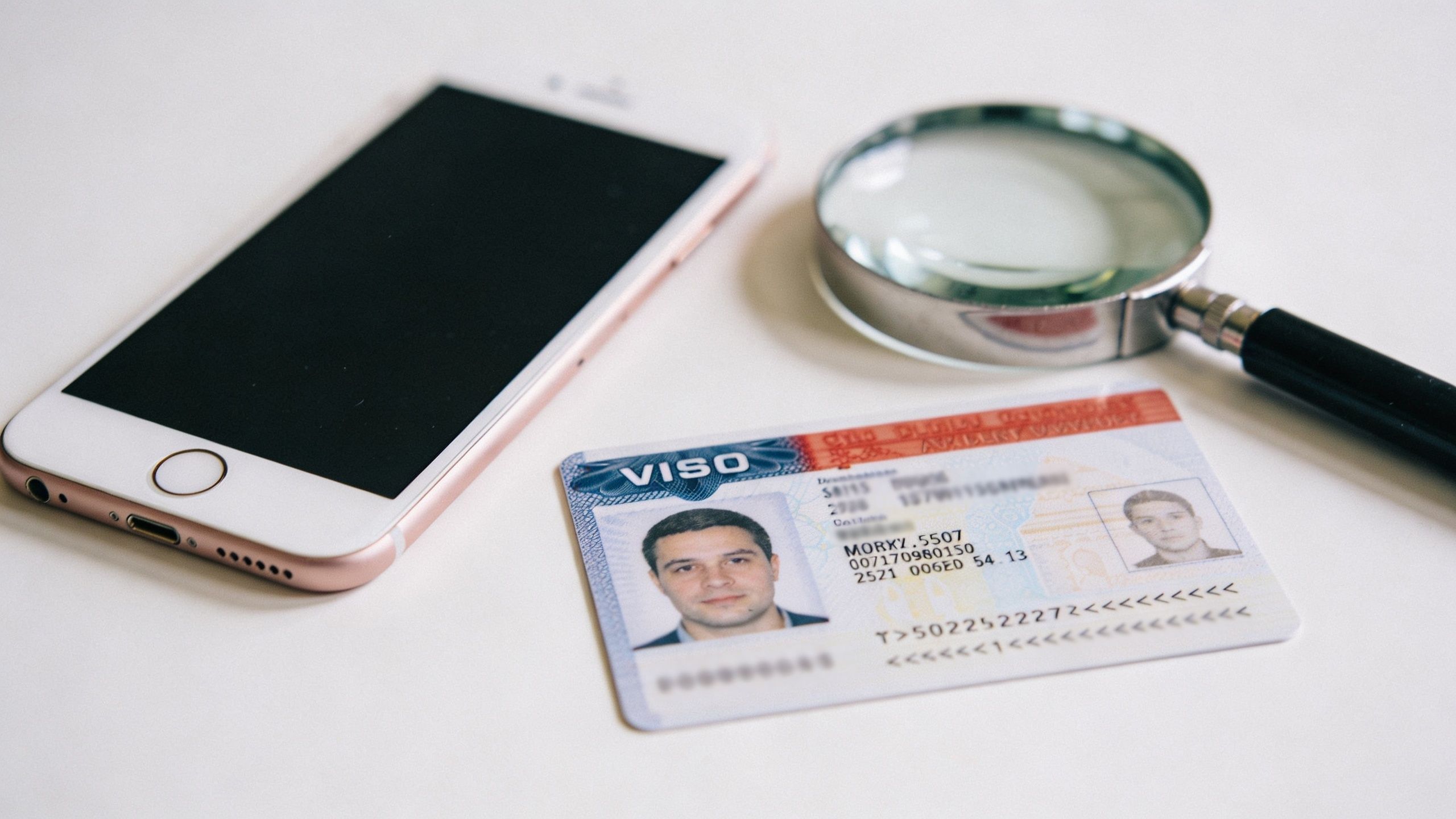
If the app says the ID is unreadable, the cause is usually visual. Common problems include blur, glare, cropped edges, or using a copy instead of the original. The documented workflow specifically flags photocopies, scanned copies, and soft copies as rejection points.
Try this instead:
- Retake in brighter light: Natural light is usually safer than overhead bulbs.
- Place the ID on a dark plain surface: This can help the edges stand out.
- Refocus before capture: Tap the screen where the text sits.
- Use the original document: Don’t substitute another version of the same ID.
When the app can’t read your face
Face scan failures are usually about lighting, obstruction, or angle. If the app can’t compare your face well against the ID photo, it won’t confidently move forward.
A practical fix list:
- Remove glasses if they create reflections.
- Pull hair away from the face.
- Face the light directly.
- Keep the phone at eye level.
- Stop moving once the frame is ready.
A face scan failure doesn’t always mean your face is the problem. It often means the camera sees shadows, glare, or incomplete features.
When your application stays pending
Pending status is frustrating because it feels like nothing is happening. Based on the documented process, approval can take a few days, and cleaner submissions tend to move more smoothly. If you already uploaded sharp images and matching details, waiting may be the right move.
If your submission has been hanging and you suspect something went wrong, review these likely causes:
- Mismatch in details: The typed information may not match the ID.
- Weak upload quality: The images looked acceptable on your screen but not to the system.
- Selfie inconsistency: Poor lighting may have weakened the facial match.
When you resubmit, change the setup. Don’t repeat the same photos in the same room and expect a different result. Use stronger light, slower framing, and a fresh review of your typed details.
Unlock Full GCash Power for Gaming and More
Once your account is fully verified, GCash stops feeling like a restricted app and starts acting like a proper transaction tool. That’s the payoff. You spend a bit of time on verification once, then you stop dealing with blocked actions every time money needs to move.
For players, that convenience matters most when timing matters. Deposits should go through cleanly. Withdrawals should not trigger avoidable wallet issues. A verified account removes a lot of the friction that makes gaming payments stressful.
What changes after approval
The biggest change is reliability. You’re no longer trying to use a wallet that still has identity questions hanging over it. That affects not just gaming transactions, but also the wider set of services inside the GCash ecosystem.
People usually notice these practical upgrades first:
- Smoother deposits and withdrawals
- Fewer interruptions during transaction checks
- Access to more wallet functions and linked services
- Better day-to-day usability beyond gaming
Why this matters for casino payments
Gaming wallets work best when your payment method is already sorted before you play. If you verify gcash account access early, you remove one of the most common payment bottlenecks. That means less time chasing failed cash-ins and less risk of delayed cash-outs because the wallet itself still needs work.
For anyone using a PAGCOR-regulated platform, that’s the standard you want. If you’re checking a licensed option, the Insta Play Online Casino page gives an example of the kind of regulated environment where smooth wallet verification matters. A compliant platform and a fully verified wallet fit together better.
Frequently Asked Questions About GCash Verification
How long does GCash verification take
The documented timeline is typically a few days, although cleaner submissions can move faster, as noted earlier in the article. If your images are sharp, your details match, and the selfie scan is clear, you give yourself the best shot at a smoother approval.
If it goes beyond that, don’t panic immediately. Review whether your original submission had any obvious weak point before sending another attempt.
What if I don’t have a primary government ID
GCash has offline verification channels for people who can’t complete the app-based process. According to the documented guidance, these options can include partner locations such as pawn shops, and secondary IDs like student IDs or company-issued employee IDs may be accepted through that route, based on the YouTube guide covering offline GCash verification options.
That matters more than people realise. Not everyone has the same device quality, camera strength, or standard ID set. If the app keeps failing, an offline route can be the more practical solution.
Can minors verify a GCash account
The verified data provided here doesn’t include a confirmed rule on minor verification requirements, so it’s safer not to guess. If this applies to you, check the current in-app guidance and official support flow before proceeding.
That’s also the right approach for edge cases in general. If your situation falls outside the usual path, rely on the latest app instructions rather than advice copied from random comment sections.
What if my camera is weak or my phone keeps failing during verification
That’s one of the most common reasons users struggle. A weak camera can make text unreadable and cause face scan problems even when you’re doing everything else right. In that case, the best move is usually to improve the environment first, use better lighting, clean the lens, and retry carefully.
If the device itself is the limiting factor, the offline verification option can save you a lot of time. It’s better to switch methods than to repeat a bad setup.
Is there any gaming benefit to verifying first before I register elsewhere
Yes, in practical terms. A verified wallet reduces payment friction from the start, especially if you plan to move funds in and out rather than just make one small deposit. It also helps you avoid the common pattern where the gaming account is ready but the payment method isn’t.
For players who also enjoy card-based local games, content like pusoy in English shows how broad the local gaming audience is. No matter the game, a working wallet makes the experience smoother.
If you want a PAGCOR-licensed platform that matches well with a fully verified wallet, Insta Play Online Casino is worth a look for Filipino players who value secure access, straightforward deposits and withdrawals, and a beginner-friendly experience.



[…] the wallet is fully verified and ready to receive funds. If you still need to sort that out, this GCash verification guide for Filipino users is a practical […]
[…] Before you fund anything, make sure your payment details are consistent with your account details. If you plan to use GCash, it helps to review wallet verification expectations first through this guide on how to verify your GCash account. […]
[…] to verify any linked payment details the right way. For players using that route, the guide to verifying your GCash account is useful because it reduces mismatches later when you want to move from account setup into actual […]
[…] your account isn't fully sorted yet, it's also worth understanding the GCash verification process and recovery basics, because access issues often get tangled with identity checks and SIM […]