



So, you’ve played some great hands in Tongits Go and your winnings are starting to pile up. Now for the best part: turning those in-game wins into actual cash you can spend. The great news is that cashing out your earnings in 2026 is a pretty smooth process, especially on PAGCOR-licensed platforms where security is a top priority.
It’s a lot like using any other digital wallet. You build up a balance in the game, then initiate a transfer to your personal account, whether that’s an e-wallet or your bank. Let's walk through exactly how it’s done.
Your Guide to Cashing Out Winnings from Tongits Go
Getting your hands on your money is the most rewarding part of the game. The entire process is designed with Filipino players in mind, focusing on secure and familiar payment channels. Before you can withdraw, though, there are just a couple of things you need to sort out first.
We’ll cover everything you need to know, including:
- Getting your account verified (KYC).
- Making sure you have enough balance to meet the withdrawal minimum.
- Choosing the best payout method for you, like GCash or a direct bank transfer.
The whole cash-out flow feels very intuitive. You’ll start inside the Tongits Go app, head over to your wallet, and tap the withdraw button. From my experience, one of the first things players want to know is the minimum amount they can withdraw. Most platforms set this at a reasonable level, often around ₱200, which is perfect for testing the waters with a smaller win.
To give you a clearer picture, here’s a quick summary of the steps involved.
Tongits Go Cash Out at a Glance
This table breaks down the entire journey, from your game wallet to your bank account.
| Phase | Action Required | Key Detail |
|---|---|---|
| Preparation | Verify Your Account (KYC) | Upload a valid ID to confirm your identity. |
| Initiation | Go to the In-Game Wallet | Open the app and find the "Withdraw" or "Cash Out" section. |
| Execution | Choose Method & Amount | Select GCash or your bank, then enter how much you want to withdraw. |
| Confirmation | Review and Submit | Double-check the details and confirm the transaction. |
Once you're familiar with this flow, cashing out becomes second nature.
This infographic gives you a great visual breakdown of the process.
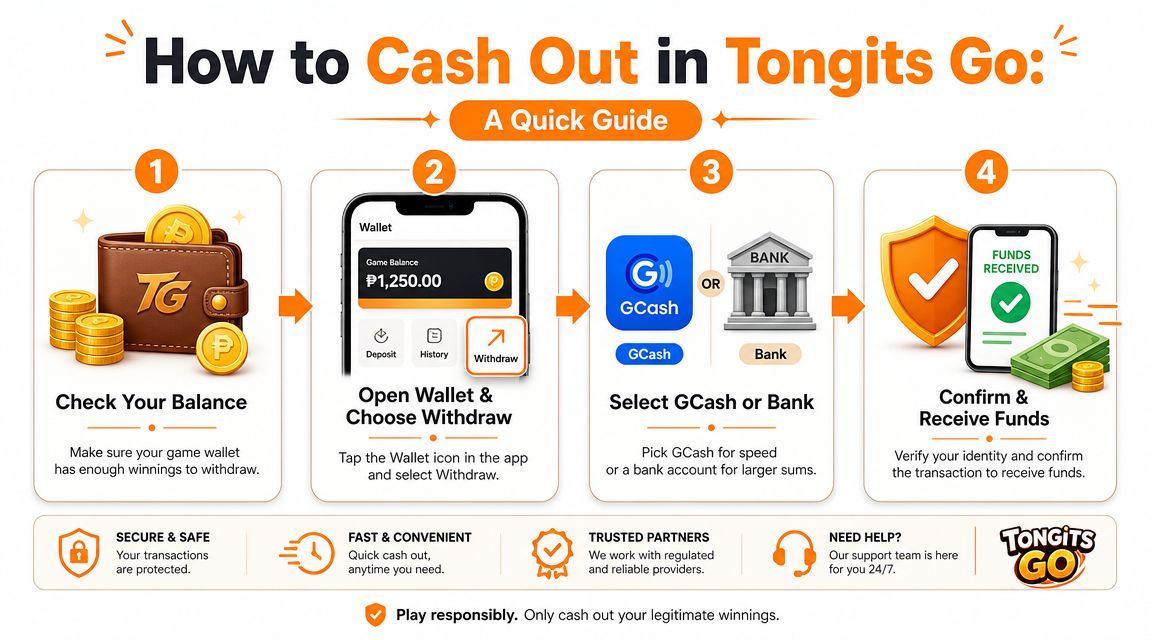
As you can see, it’s a simple four-stage process, from checking your balance to finally receiving your funds. Mastering these steps means you can move your earnings without any guesswork.
For many players, GCash is the go-to option. In fact, there are plenty of games that can earn money through GCash, making it a popular choice across the board. By understanding this process for Tongits Go, you’re all set for a hassle-free cash-out experience.
Table of Contents
- Your Guide to Cashing Out Winnings from Tongits Go
- Getting Your Account Ready for a Smooth Payout
- Cashing Out Your Winnings to GCash
- Using a Bank Transfer for Larger Cash Outs
- Troubleshooting Common Withdrawal Problems
- Answering Your Tongits Go Withdrawal Questions
Getting Your Account Ready for a Smooth Payout
Before you rush to cash out your winnings, taking a few minutes to prepare your account can be the difference between getting your money quickly and facing frustrating delays. This is the most important step for a successful cash out in Tongits Go, especially on PAGCOR-regulated platforms where security is taken very seriously.
The first thing you absolutely must do is complete your Know Your Customer (KYC) verification. This isn't just a box to tick; it's a security protocol that protects you and the platform from fraud. From my own experience, I can tell you that a fully verified account is the fastest way to get your hands on your winnings.
Verify Your Identity and Mobile Number
To get started, you’ll need to prove you are who you say you are. This usually means uploading a clear photo of a valid government-issued ID, such as a driver's licence or passport. The name on that ID must be an exact match for the name you used to register your account—there's no wiggle room here.
You also have to verify your mobile number. The app will send you a one-time password (OTP) via SMS, which you’ll then enter to confirm it’s really you. This simple step is what stops anyone else from authorizing transactions on your account.
Expert Tip: Never use nicknames or shortened versions of your name when you sign up. A mismatch between your gaming account and your official ID is the single biggest reason for withdrawal rejections. Spending two minutes to get this right will save you a massive headache later.
Securely Link Your Payout Method
With your identity confirmed, it's time to connect your preferred payout method. For most players in the Philippines, this will be a GCash account or a local bank account.
- For GCash: You'll need to provide the mobile number linked to your fully verified GCash account. Again, the name on your GCash must match your player account name perfectly.
- For Bank Transfer: This requires your bank's name, your full name as it appears on the bank account, and your account number.
Go over every single digit and letter twice. A simple typo in an account number is all it takes to send your hard-earned winnings into a black hole.
Finally, keep the minimum withdrawal amount in mind. Most platforms require you to cash out at least ₱200 to ₱500. If you try to withdraw an amount below that threshold, the system will automatically reject the request. Getting these details sorted out from the beginning ensures you can enjoy your winnings without any extra stress. If you need help with verification, our guide on how to verify your GCash account can walk you through it.
Cashing Out Your Winnings to GCash
When it's time to cash out your Tongits Go winnings, GCash is almost always the way to go. For most of us in the Philippines, it's the fastest and most convenient option, since we use it for just about everything else. Let’s walk through exactly how to move your money from the game to your GCash wallet safely.
First things first, head over to your in-game wallet or account screen. This is where you'll manage all your funds. Look for a button that says “Withdraw,” “Cash Out,” or something similar and give it a tap.
Selecting GCash as Your Payout Method
Once you're in the withdrawal area, the app will show you all the available payout methods. Find and select GCash to get started. This is the most common and quickest route for cashing out.
Now, you’ll need to provide your details for the transfer. The app will ask for a few key things:
- Your GCash-registered mobile number: I can't stress this enough—double-check this number! A single wrong digit could send your hard-earned winnings to a stranger.
- Your full name as registered on GCash: This needs to be an exact match to the name on your verified Tongits Go account.
- The amount you want to withdraw: Make sure you’ve hit the minimum withdrawal amount before trying to cash out.
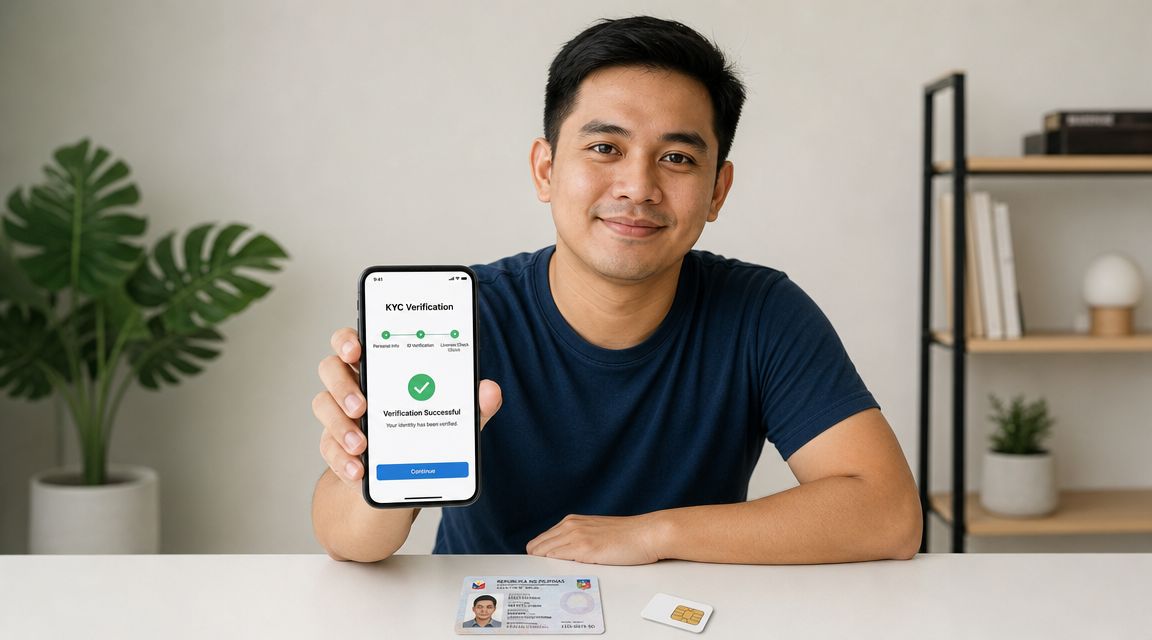
As you can see, the platform takes verification seriously. This step is all about securely connecting your game account to your GCash, making sure the money goes to the right person—you.
After you've entered your details, there's usually one final security check: a One-Time Password (OTP). The system will send a code via SMS to the phone number you registered with. Just enter that code to confirm the transaction.
Confirmation and What Happens Next
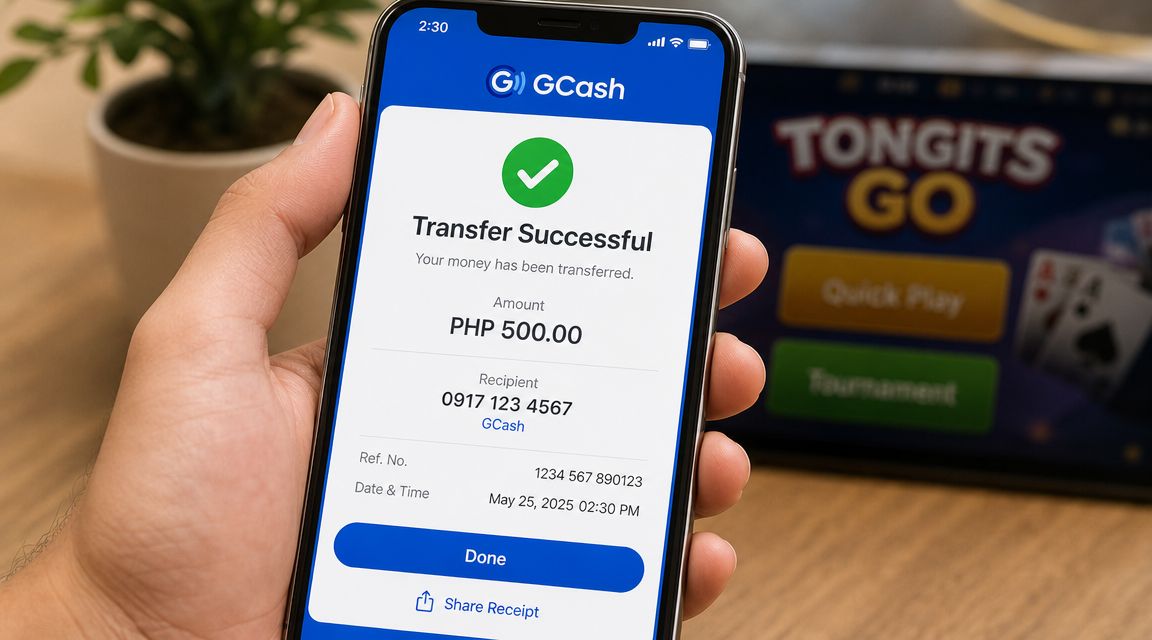
With the correct OTP entered, you’ll see a success message confirming your withdrawal request has been submitted. It’s always a good idea to take a quick screenshot of this confirmation, just in case you need it for your records later. Your winnings are now officially on their way!
While GCash is the top choice for many, it’s helpful to see how other platforms handle their payouts. If you’re curious, you can check out our guide on Arena Plus withdrawal methods to get a broader understanding of the different processes out there.
Using a Bank Transfer for Larger Cash Outs
GCash is fantastic for quick, everyday withdrawals, but what about when you hit a truly significant win? For those larger sums, a direct bank transfer is often the smarter and more secure choice. If you’re looking to move a substantial payout from regulated platforms like Insta Play, knowing how to cash out directly to your bank is essential.
The process itself isn't complicated and feels a lot like an e-wallet transfer, but it does ask for a bit more attention to detail to make sure your winnings arrive safely. When you head to the withdrawal menu and choose the bank transfer option, you'll be asked for some specific information.
Providing Your Bank Details
To get the transfer started, you’ll need to enter your details with 100% accuracy. From my experience, almost all transfer delays or outright failures come down to simple typos or mismatched information.
- Bank Name: Just pick your bank from the list they provide (e.g., BDO, BPI, Metrobank).
- Account Holder Name: This is critical. It must be your full legal name, matching exactly what’s on your bank account and the ID you used to verify your gaming profile. No nicknames.
- Bank Account Number: Take a moment and double-check every single digit before hitting submit. One wrong number can send your money into limbo.
The golden rule for any bank transfer is consistency. The name on your game account, your verified ID, and your bank account must be identical. Platforms enforce this strictly to prevent fraud and guarantee the winnings go to the right person.
Managing Expectations on Timing and Fees
Here’s where bank transfers differ from e-wallets. Unlike the almost instant speed of GCash, bank withdrawals take a bit longer to process. You should generally expect a waiting period of one to three banking days. This gives the platform time for its internal security checks and also accounts for the bank’s own processing schedule.
It's also worth noting that some platforms or banks might charge a small processing fee for the service, so always give the terms a quick look before you confirm the transaction. For players weighing their options on different sites, you might find our guide on the Mega Panalo Casino helpful for comparison.
Ultimately, choosing a bank transfer for bigger cash outs is a solid move for secure, high-value transactions.
Troubleshooting Common Withdrawal Problems
Even when you follow all the steps perfectly, you might occasionally hit a snag trying to cash out your Tongits Go winnings. Knowing what to do when this happens is key to a stress-free gaming experience, so let’s walk through the most common issues and how to get them sorted out.
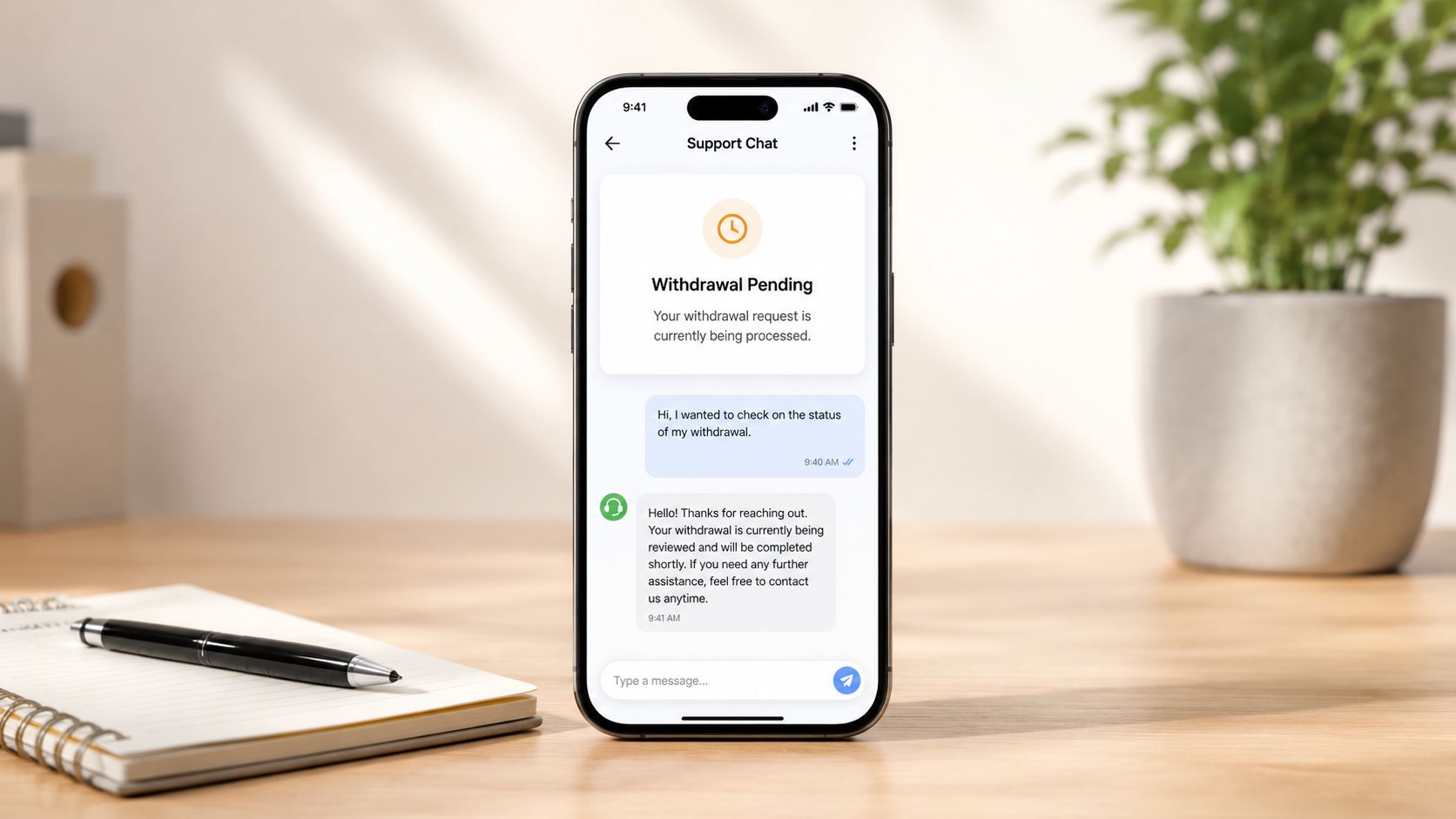
One of the most frequent problems is a "withdrawal pending" status that seems to last forever. While bank transfers can naturally take one to three business days, a cash-out to an e-wallet should be much quicker. If your GCash transfer is taking more than a few hours, the delay is often due to high transaction volumes or scheduled system maintenance on the platform's end.
Another headache is accidentally entering the wrong account details. It happens. If you realize you’ve made a typo in your GCash number or bank account information, the best course of action is to contact customer support immediately. The sooner you report the mistake, the higher the chance they can stop the transaction before it goes through.
Quick Fixes for Payout Issues
If your funds haven't arrived yet, don't panic. Before reaching out to support, run through this quick checklist—it can help you pinpoint the problem yourself.
- Is your account fully verified? A pending or failed KYC (Know Your Customer) verification is one of the top reasons for a withdrawal being blocked or rejected.
- Did you meet the minimum amount? Most platforms have a minimum withdrawal threshold, often around ₱200. Trying to cash out less than this will cause the transaction to fail automatically.
- Are your details 100% correct? Always double-check that the name on your GCash or bank account is an exact match for the name you registered with on the gaming platform.
Key Takeaway: The vast majority of withdrawal problems trace back to three things: incomplete account verification, not meeting the minimum cash-out amount, or a simple typo in your payment details. Checking these first will solve most issues without needing to contact support.
If you’ve checked everything and the problem still isn't resolved, it’s time to ask for help. On platforms like Insta Play, the live chat feature is your most direct and effective tool. When you reach out, be sure to provide your username and the transaction reference number from your withdrawal history. A clear, concise message helps the support team resolve your issue much faster.
It’s always a good idea to know what other options are out there. If you're interested in exploring different gaming apps, you can learn more about the 90 JILI app and its unique features. Being informed about various platforms helps you find the one that best fits your gaming style.
Common Withdrawal Problems and Solutions
To make things even simpler, here’s a quick reference table to help you diagnose and fix the most common withdrawal hiccups you might encounter.
| Problem | Likely Cause | How to Fix It |
|---|---|---|
| Withdrawal Rejected | Incomplete KYC verification, not meeting minimum withdrawal, or mismatched account names. | Go to your profile and complete the verification process. Ensure you are withdrawing at least the minimum amount (e.g., ₱200). Check that your bank/e-wallet name matches your player account name. |
| "Pending" for Too Long | High transaction volume, system maintenance, or a flag for a security review. | Wait a few hours for e-wallets. If it's a bank transfer, allow 1-3 business days. If it exceeds this timeframe, contact customer support with your transaction details. |
| Funds Sent to Wrong Account | Typo in GCash number or bank account details. | Contact customer support immediately. Provide the correct details and the transaction reference number. If the transaction hasn't been finalized, they may be able to reverse it. |
| Unable to Initiate Withdrawal | You have an active bonus with wagering requirements that haven't been met. | Check your active bonuses and promotions. You must complete the turnover or wagering requirements before you can withdraw associated winnings. |
This table should help you quickly identify what might have gone wrong. In most cases, the fix is straightforward and can be done in just a few minutes.
Answering Your Tongits Go Withdrawal Questions
Even after following the steps, it’s normal to have a few more questions about cashing out your winnings from Tongits Go. From my experience helping other players, a few concerns pop up regularly. Getting these sorted out will give you complete confidence in the withdrawal process.
Is It Safe to Cash Out from Tongits Go?
The first thing players always ask is about safety, and the answer is yes—provided you are playing on a secure, PAGCOR-licensed platform. Legitimate sites use encryption and follow strict Know Your Customer (KYC) rules to protect both your money and your personal data. Your security is guaranteed when you stick to the official process.
The key is to only use the built-in withdrawal system and never share your account password or any One-Time Passwords (OTPs). Avoid third-party "agents" or informal "pasa-load" services, as these are not official and carry huge risks. A trustworthy platform will always handle transactions directly through its app or website.
My Personal Advice: Treat your game account just like you treat your online banking app. You wouldn't give your bank password to someone you don't know, so you should apply the same mindset here. If any withdrawal offer seems suspicious or asks you to operate outside the platform's official system, consider it a serious red flag.
Why Is My Withdrawal Taking So Long?
While most e-wallet transactions are quick, delays can happen. It helps to have a little patience. From what I’ve seen, these are the most common reasons for a hold-up:
- High System Traffic: During peak hours or after big tournaments, a large volume of withdrawal requests can slow down processing times for everyone.
- Manual Security Reviews: For your protection, platforms sometimes flag unusually large withdrawals or irregular activity for a manual check. It’s a standard safety measure.
- Weekends and Holidays: If you're cashing out to a bank account, remember that banks only process transactions on business days. A request made on a Friday evening or a public holiday will have to wait.
Generally, you can expect e-wallet transfers to clear within a few hours. Bank transfers, on the other hand, typically take one to three business days to reflect in your account.
What Are the Fees for Cashing Out?
This depends on the platform and your chosen method. Many operators offer free withdrawals, particularly for popular e-wallets like GCash. However, some might apply a small processing fee for bank transfers or if you make several withdrawals in a single day.
A good platform is always transparent about costs. Before you ever confirm a transaction, any applicable fees should be clearly displayed on the withdrawal screen. This transparency is a key sign of a reliable operator, ensuring there are no surprises.
Ready to put your skills to the test in a safe and rewarding environment? Join Insta Play Online Casino today and explore a world of exciting games, from classic Tongits to popular slots. As a PAGCOR-licensed platform, we prioritise your security every step of the way. Sign up now and claim your welcome bonus!