


No, you can't use GCash login without the app. GCash officially supports login only through its mobile app, even though the service has grown from 76 million registered users in 2023 to more than 94 million registered users, which is exactly why so many people keep searching for a no-app workaround.
If you're reading this because your phone is dead, lost, full, outdated, or refusing to open GCash, your suspicion is correct. There is no official browser, PC, or laptop login for GCash. That's a security decision, not a missing feature. The good news is you still have practical moves you can make right now to recover access, protect your funds, and avoid getting fooled by fake login pages.
Table of Contents
- That Moment of Panic When Your GCash App Is Unreachable
- The Official Answer on GCash Web and PC Login
- Your Step-by-Step GCash Account Recovery Guide
- Practical Alternatives When the App Is Not an Option
- Avoiding Common GCash Login Issues and Scams
- GCash Login FAQ Your Quick Questions Answered
That Moment of Panic When Your GCash App Is Unreachable
You need to pay a bill, send money, or check if someone already transferred cash. Then your phone cracks, refuses to boot, runs out of storage, or gets lost on the commute. Your first instinct is predictable. Open a laptop, search for GCash login without app, and hope there's a hidden web portal.
There isn't. But the panic is understandable because GCash isn't some niche wallet anymore. Industry coverage described GCash as having over 76 million registered users, or about 67% of the Philippines' population, and later reported it serving more than 94 million registered users on the STL Partners GCash market overview. When a financial app reaches that level, any login problem stops being a minor inconvenience.
A lot of people aren't really asking for desktop convenience. They're asking for a rescue plan. They want to know what to do if the app won't open, the phone is gone, or the device is too old to cooperate. That's the core problem.
Practical rule: Stop searching for a secret login page. Start treating this as an access recovery problem.
If your account isn't fully sorted yet, it's also worth understanding the GCash verification process and recovery basics, because access issues often get tangled with identity checks and SIM access.
Here's the deal. You need to separate your situation into one of three buckets:
- You still have your SIM. This is the best case. Recovery is usually straightforward once you get a working phone and reinstall the app.
- You lost the phone but still control the number. You still have a strong path back in, because GCash ties the account to your registered mobile number.
- You lost both phone and SIM. This is the slowest path, and your first problem is reclaiming the number, not trying random login tricks.
The Official Answer on GCash Web and PC Login
GCash has already answered this clearly. You can only log in through the mobile app. It does not support browser, PC, or laptop login, as stated on the official GCash help page about other login methods.
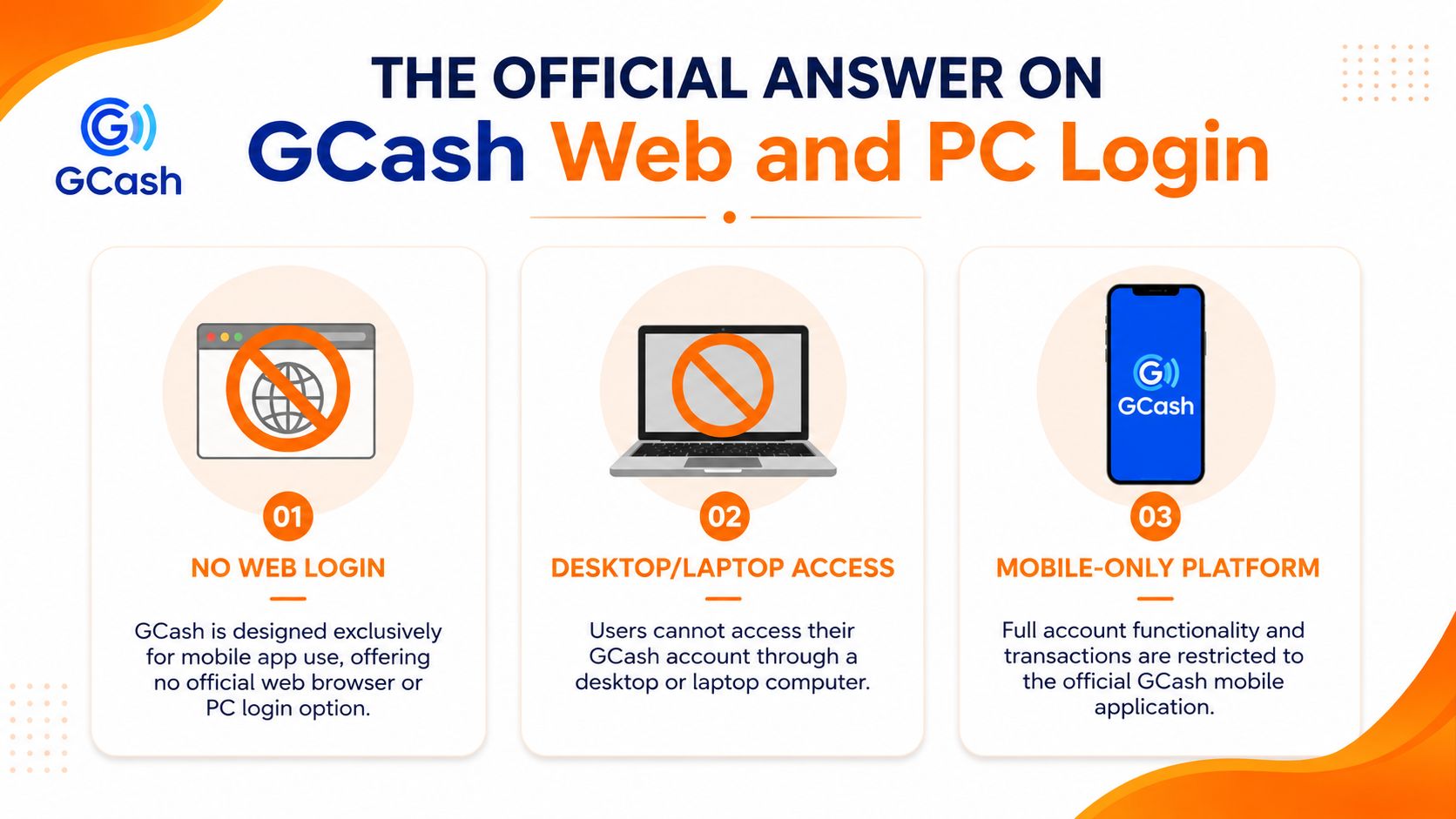
That means three things people often get wrong:
| Belief | Reality |
|---|---|
| “I can log in on my laptop if I know my number.” | No. Desktop and browser login aren't supported. |
| “Maybe I can sign in using email instead.” | No. GCash ties the account to your registered mobile number. |
| “A website offering GCash web login might be legit.” | No. Treat it as suspicious immediately. |
This mobile-only setup exists for security. GCash wants authentication centred on the app and the registered number, not spread across browser sessions, email logins, and random devices. That can feel inconvenient when you're locked out, but it's also the reason fake web portals stand out so clearly. If someone offers “easy GCash login without app” through a website, that's exactly the kind of thing you should avoid.
If a page asks for your GCash number, OTP, or MPIN outside the official app flow, back out.
A lot of people lose money because they spend too much time trying to make the impossible possible. Don't. Save that energy for recovery. If you're used to online platforms that push quick sign-ups and promos, you'll notice the contrast with offers like this sign-up bonus page. GCash doesn't work like that on web login. It stays locked to the app.
Your Step-by-Step GCash Account Recovery Guide
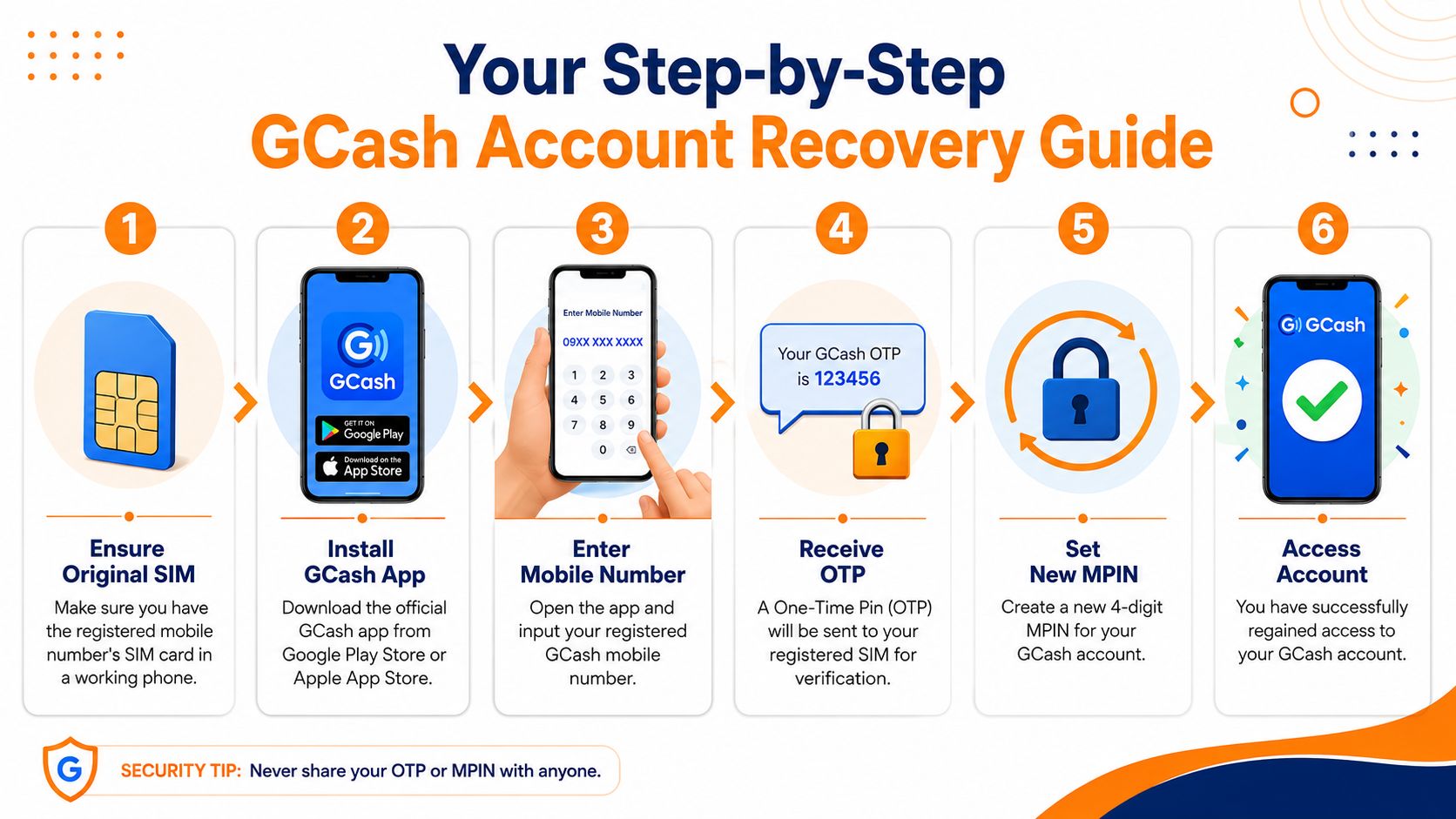
If you still control your registered mobile number, that's your way back in. Not your email. Not your Facebook account. Not a browser. Your SIM matters most.
Start with the SIM, not the phone
People focus on the replacement phone first. That's not wrong, but it misses the core issue. GCash recovery is centred on the registered number.
Do this in order:
- Get your registered SIM into a working phone. Borrow a trusted device if needed. The phone itself is replaceable. Your number is the key.
- Install the official GCash app from Google Play Store or Apple App Store.
- Open the app and enter your registered mobile number.
- Wait for the 6-digit SMS code sent to that number.
- Complete the verification step in the app.
- Set your MPIN again if prompted.
The official GCash verification flow is based on the 6-digit SMS code sent to your registered mobile number, and full verification inside the app requires tapping Profile > Verify Now and submitting ID and selfie details, according to the official GCash verification guide.
What to do inside the app once you reinstall
Once you're back inside, don't rush straight into transactions. Check whether the account is fully usable.
Look at these points:
- Profile status: If the app pushes you toward Verify Now, follow it and submit the requested identity details.
- Name and ID consistency: Use details that match your government ID. Mismatches create unnecessary delays.
- SMS access: If OTP messages aren't arriving, your number issue comes first. Fix SIM access before blaming GCash.
Here's a walkthrough video if you prefer seeing the process visually.
One unofficial guide describes verification review time as about 30 minutes, but that timing isn't stated on the official help page, so don't build your day around it. Treat any waiting period as variable.
Use a phone you trust. Recovering your wallet on a random device from a shop or an acquaintance is a bad idea.
If your phone was lost or stolen, change what you can inside the app as soon as access returns. The point isn't just to get in. It's to make sure nobody else can.
Practical Alternatives When the App Is Not an Option
If the app is impossible right now, don't confuse “no login” with “no options”. You still have fallback paths, but you need to be realistic about what they can do.
What USSD can and can't do
A Philippine guide explains that GCash historically allowed account creation through USSD by dialling a code and following prompts, including in situations where the user had no mobile data or computer, as outlined in this GCash registration and access guide for the Philippine market.
That matters because it shows GCash wasn't built only for perfect smartphone conditions. But don't overread it.
USSD is useful for registration and basic access support. It is not a magic replacement for full app login.
So if you're on Globe or TM and someone tells you to try *143#, that advice makes sense mainly when you're dealing with setup constraints, low data access, or old-school fallback steps. It does not turn your laptop into a GCash portal.
The emergency mindset that actually helps
When the app is down for you, your best alternatives are usually operational, not technical:
- Borrow a trusted smartphone: Install the app, recover access with your SIM, then log out after you're done.
- Use another payment route temporarily: If the bill or transfer is urgent, use a different wallet, bank app, or over-the-counter option instead of forcing GCash.
- Prepare for cash movement through other channels: In some situations, people switch to remittance or cash-out style workarounds rather than waiting for one app to cooperate.
If you're comparing transaction options in a broader money-out context, guides like this Arena Plus withdrawal walkthrough can help you think in terms of available payout paths rather than one blocked app.
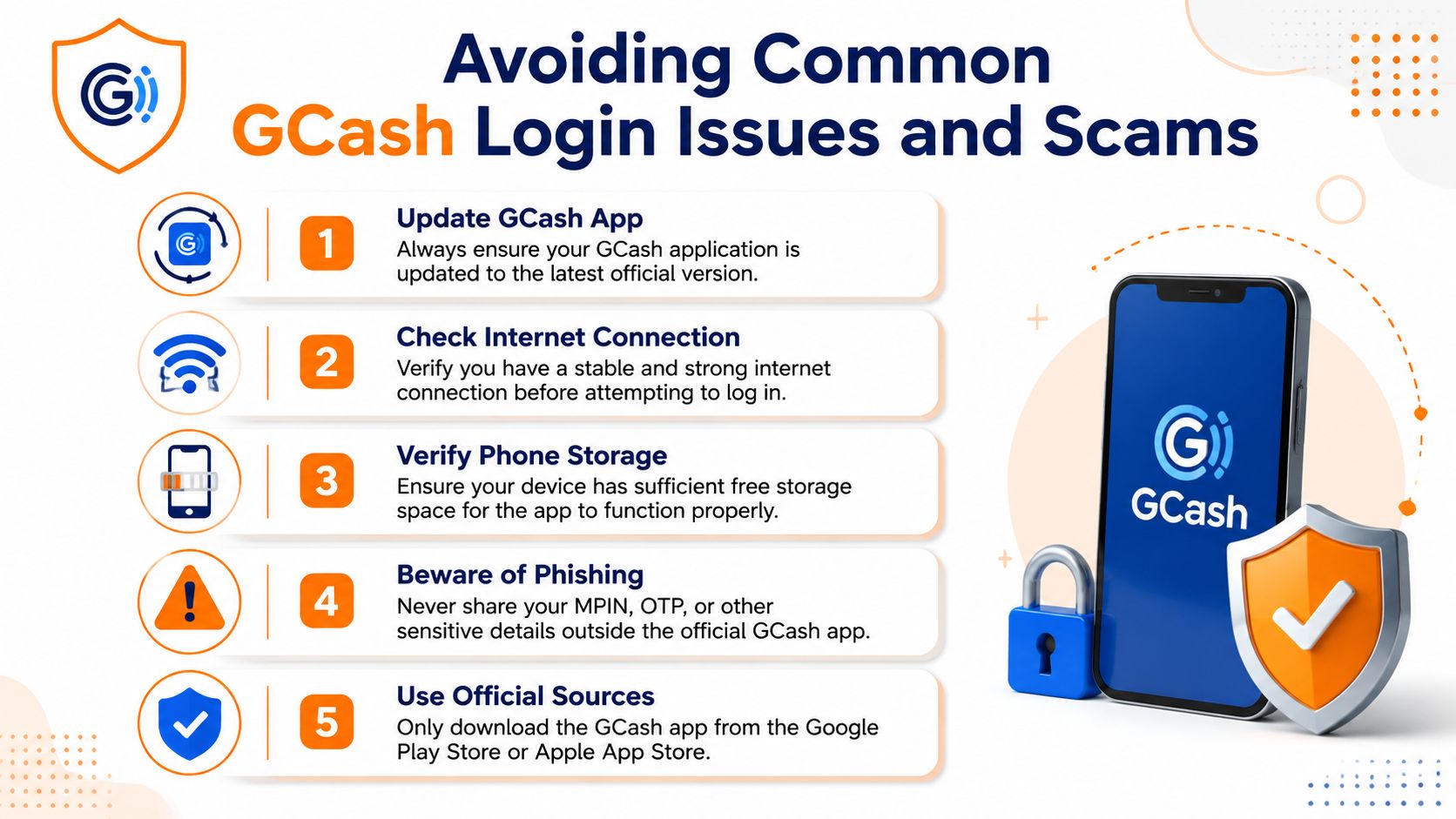
Avoiding Common GCash Login Issues and Scams
A lot of “GCash login without app” searches happen because the app won't open, not due to a genuine desire for desktop access. Fix the device problem first.
Fix the phone before blaming the account
GCash support says login and app-opening failures can come from device-level issues, including outdated operating systems. The support article notes that accounts can't be accessed if the operating system is below iOS 14, and it recommends practical fixes such as updating the app, toggling airplane mode, force-closing, and clearing cache in the official GCash login troubleshooting article.
Run this checklist before doing anything dramatic:
- Update the app: Old app versions cause avoidable problems.
- Check storage: Phones with almost no free space behave badly with financial apps.
- Toggle airplane mode: It sounds basic because it is. It can still fix flaky connections.
- Clear cache and relaunch: Especially useful on Android.
- Check OS compatibility: Older devices may be below the supported threshold.
Fake web login pages are the real danger
The absence of official browser login creates a perfect trap. Scammers know frustrated users are likely to click anything that looks like a shortcut.
Don't do these:
- Don't enter your MPIN on a website.
- Don't trust links in text messages claiming to restore your account.
- Don't let someone else “help” by logging in for you.
- Don't download APK files from random pages.
The safest assumption is simple. If it isn't the official app flow, it probably isn't for your protection.
If you're the type who installs apps often for games or promos, keep that habit separate from your wallet security. Curiosity is fine on entertainment apps like the 90 JILI app page. It is not fine when your GCash number, OTP, and MPIN are involved.
GCash Login FAQ Your Quick Questions Answered
Can I log in to GCash on a browser if my phone is broken?
No. Replace or borrow a working phone, install the official app, and recover access using your registered SIM.
What if I lost my phone and SIM together?
Your first move is to recover the mobile number through your telco. GCash recovery depends on that registered number.
Can someone else log in for me on their phone?
Only if you fully trust the device and you control the SIM and OTP. Even then, do it only as a temporary measure and log out afterwards.
Can I use email to recover my GCash account?
No. GCash access is tied to your registered mobile number, not email or social login.
Is USSD a full replacement for the app?
No. It has been part of GCash's multi-channel setup, but it isn't a complete no-app login solution.
What's the safest move when I can't access the app?
Protect the number, use only official app-based recovery, and avoid any site claiming to offer web login.
If you're also looking for digital options that connect naturally with mobile wallet use, this list of games that can earn money through GCash is worth browsing once your account access is stable again.
If you want a separate platform for online entertainment after you've sorted your wallet access, Insta Play Online Casino is a PAGCOR-licensed option built for Filipino players who want a secure, straightforward experience, recognised game providers, and a beginner-friendly welcome offer.



uirmifoopvixdftolyqktuoqzdxdyk