


You're probably doing what most players do when they want to get JILI App access in the Philippines. You search, open a few tabs, see an APK link on one site, a login page on another, and a “download now” button somewhere else that doesn't look fully trustworthy.
That's where people make bad decisions.
In the Philippines, mobile is the default way people access gaming content, and Google Play data for the country shows that “Jili Casino slots 777 Games” is a monitored app category, which reflects how normal mobile-first casino access has become in the local market, especially through Android apps and mobile portals, according to this PH market visibility reference. The problem is that convenience creates risk. The easiest link to tap isn't always the safest one.
If you want a clean way to get started, treat download method, licensing, and bonus access as one decision, not three separate ones. That's why many players start by checking a PAGCOR-focused casino platform in the Philippines before they install anything.
Table of Contents
- Your Starting Point for JILI Games in the Philippines
- Choosing Your Download Path Official Partners vs APKs
- A Guide for Android Users
- A Guide for iOS Users
- Safety First Checking for PAGCOR Compliance
- Claiming Bonuses and Troubleshooting
Your Starting Point for JILI Games in the Philippines
The first thing to understand is that JILI access in the Philippines usually doesn't look as tidy as downloading a standard social app. You may find branded pages, casino lobbies that carry JILI titles, APK installers, or mobile web access that feels like an app even when it runs in a browser.
That confuses new players because the search term is simple, but the setup behind it isn't. JILI content often appears through operator platforms, not just through one obvious standalone install path. If you rush this step, you can end up with a bad file, a dead login, or a bonus offer that disappears once you register.
What Filipino players usually run into
A typical search brings up:
- Direct APK links from third-party sites
- Casino platforms that host JILI games inside a broader lobby
- Mirror pages that look official but don't clearly identify the operator
- Mobile web versions that work without a heavy install
Each option can work. Not each option deserves your trust.
Practical rule: If a page pushes you to install first and explain licensing later, leave it.
What actually matters first
When players ask me how to get JILI App access safely, I don't start with features. I start with three filters:
- Who operates the platform
- Whether the operator is locally compliant
- How the app or web client is being distributed
That order matters. A slick interface doesn't protect your funds. A bonus banner doesn't tell you whether support will help if your account gets stuck. And a fast APK download doesn't mean the file should be on your phone.
For PH users, the safest mindset is simple. Don't chase the shortest path. Chase the most verifiable one.
Choosing Your Download Path Official Partners vs APKs
Before you install anything, choose your lane. Most players are deciding between a licensed partner platform that offers JILI games inside its casino environment, or a direct APK from a site they found through search or chat.
These paths are not equal.
The trade-off in plain terms
A licensed partner route is slower at the start because you'll usually inspect the site, register properly, and confirm account details before playing. That extra minute is worth it. You get a clearer operator identity, proper support channels, and a more realistic shot at claiming promotions that honour their terms.
A direct APK from an unknown site feels faster. Sometimes it is. But that speed comes with blind spots. You may not know who packaged the file, whether the app has been modified, or whether the login and payment flow connects to a regulated operator at all.
Here's the clean comparison.
Download Method Comparison Licensed Partner vs Direct APK
| Feature | Licensed Partner (e.g., Insta Play) | Direct APK from Unknown Site |
|---|---|---|
| Safety checks | Clearer operator identity and compliance trail | File origin may be unclear |
| Support access | Usually has visible help channels and account support | Support may be missing or unreliable |
| Bonus eligibility | Promotions are more likely tied to an actual player account | Bonus terms may be vague or not honoured |
| Account setup | Structured registration and login flow | May prioritise install before verification |
| Payment confidence | Better chance of matching operator and cashier flow | Payment path may be unclear |
| Risk level | Lower if licence and site details are visible | Higher if source can't be verified |
When an APK is acceptable
An APK isn't automatically bad. In the Philippines, many users still install Android gaming apps this way. The issue is the source, not the format.
If you do use an APK path, it should come from a platform with a visible compliance footprint and a clear gaming offering, not a random file page. For players comparing game access options, a JILI-related casino section with operator context is more useful than a bare download button because it tells you what environment the games run in.
Unknown APKs fail in the same three places again and again: source trust, login reliability, and after-install support.
What works in practice
What works is boring, and that's a good sign. You verify the operator, read the terms, register through the proper flow, and only then install or launch the mobile version offered through that channel.
What doesn't work is jumping from Telegram link to mirror site to APK host and hoping the pieces connect later. In gaming, messy onboarding usually means messy support.
A Guide for Android Users
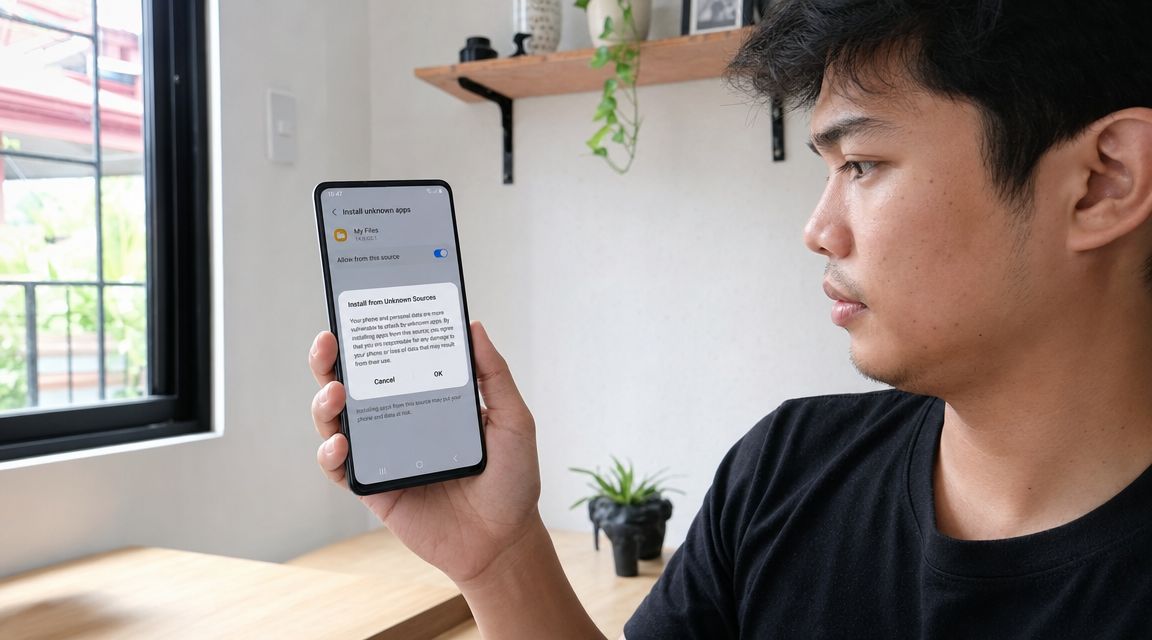
For many Filipino players, Android is still the most common route to get JILI App access. The practical reason is simple. A lot of JILI-related download paths are APK-based rather than standard Play Store installs. The source material on PH installation paths notes that users often need to download an APK and enable “install from unknown sources”, which bypasses normal Play Store checks, so source verification is critical, especially on mid-range and legacy devices, as explained in this Android installation reference.
Safe Android install sequence
Use this order. Don't skip around.
Open the download page on a stable connection
Use home broadband or steady mobile data if possible. Public Wi-Fi is where interrupted downloads and bad redirects happen more often.Check the operator identity before downloading
Look for licence information, support details, and a proper account flow. If the page has no real business identity, stop there.Download the APK from the same verified page
Don't search the file name separately. That's how people end up installing a different package from a copycat site.Allow unknown app installs only for this step
On Android, this permission is often given to the browser or file manager you're using. Turn it on only long enough to complete the installation.Install, then switch the permission back off
This reduces the chance of another app or file trying to install later without you noticing.Register and log in only after the app opens properly
If the app crashes, stalls, or asks for strange permissions, don't continue with signup or deposits.
What to check before you tap install
- Permission requests: A gaming app shouldn't ask for access that doesn't make sense for play and account use.
- File consistency: If the page mentions a file name or checksum, compare it.
- Device fit: Older Android phones can still run lightweight APKs, but background cleaners, low storage, and outdated WebView components can cause launch failures.
A practical reference point for players looking for an Android route is a JILI app access page for mobile users, because it ties the install step to an actual gaming environment instead of treating the file as the whole product.
Common Android mistakes
The mistakes are predictable:
- Installing from a forwarded link instead of the original page
- Leaving unknown-source permission enabled after setup
- Using weak or unstable internet during first launch
- Depositing immediately before testing login, lobby load, and game launch
If the install succeeds but the lobby keeps hanging, the issue often isn't the APK itself. It's session stability, device compatibility, or the operator side of the connection.
A Guide for iOS Users
iPhone and iPad users usually have a different experience. In many cases, the practical route isn't a direct native casino app install. It's mobile web access that behaves like an app once you save it to your home screen.
That sounds less polished than a native install, but for many players it's cleaner. There's no sideloading step, no permission change for unknown installers, and fewer chances to end up with a mystery file on your phone.
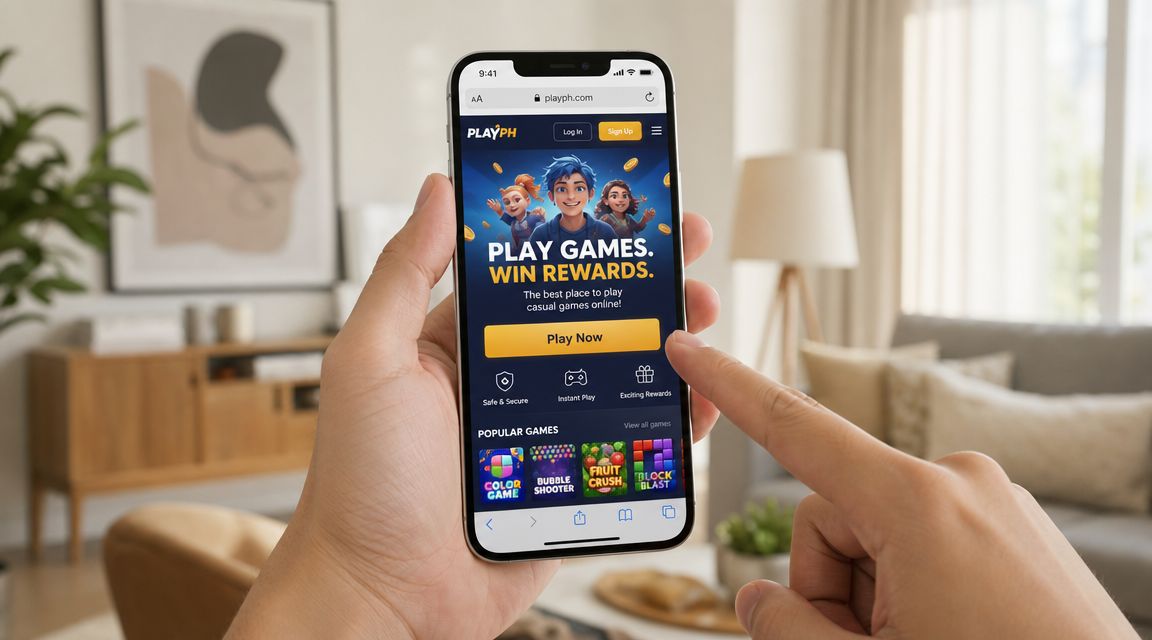
How to make it feel like an app
On iOS, do this:
- Open the verified gaming site in Safari
- Log in or register through the official mobile page
- Tap Share
- Choose Add to Home Screen
- Rename the icon if needed
- Launch it from your home screen like a normal app shortcut
This gives you fast return access without the friction of APK installs.
Why this route makes sense on iPhone
The big advantage is control. Apple's environment is stricter, so operators often rely on browser-based access to keep the user experience smooth. If the site is well built, the difference between a web shortcut and an app icon is small for everyday use.
That said, not every mobile page is built equally. What works is a site that keeps login sessions stable, loads game lobbies cleanly, and handles cashier actions properly on mobile Safari.
What doesn't work is forcing iOS users to hunt for unofficial profile installs or weird “special app” methods from sites that can't clearly explain who runs them.
A quick iOS check before saving to home screen
Ask these before you add anything:
- Does the site identify the operator clearly?
- Is the connection secure with HTTPS?
- Do the login and cashier pages load without odd redirects?
- Are support details easy to find?
If those basics are missing, don't pin that site to your phone. A home-screen icon can make a bad destination look more legitimate than it is.
Safety First Checking for PAGCOR Compliance
If you only remember one thing from this guide, remember this. In the Philippines, PAGCOR compliance is the main trust filter.
The legal base matters. PAGCOR's authority comes from Presidential Decree No. 1869, which established the regulator in 1977, and that framework remains the foundation of gaming regulation in the country. For players, a PAGCOR-linked operator is a meaningful trust marker because local rules emphasise player protection, responsible gaming, and anti-money-laundering compliance, as described in this PAGCOR legal foundation reference.

What a real compliance check looks like
Most players do a fake check. They see a logo in the footer and move on.
A proper check is tighter:
- Look for licensing details on the site, not just a badge image
- Read the footer and About page for operator identity
- Check for responsible gaming and policy pages
- Confirm the site uses secure HTTPS pages
- Make sure terms are visible before deposit or registration
Why this matters more than app polish
A clean app icon doesn't tell you who holds your balance. A fast-loading lobby doesn't tell you who handles disputes. And a big welcome offer doesn't tell you whether your account sits inside a compliant setup.
That's the reason I treat PAGCOR as a pre-install requirement, not a nice extra. The app is only the front end. The operator is the core relationship.
Reality check: If you can't identify the operator clearly, you shouldn't be sending ID documents, deposits, or personal data through that app.
Signs that should make you pause
Watch out for these:
- No visible licence information
- No support channels beyond chat handles
- No privacy policy or vague terms
- Multiple download buttons but no operator name
- Claims that focus only on bonuses and never on regulation
For players browsing casino products and game pages, a licensed casino category with operator-side context is usually safer to evaluate than a floating APK page because it lets you inspect the wider platform before you commit.
Claiming Bonuses and Troubleshooting
Once your access path is sorted, account setup becomes simple. Register through the verified platform, confirm your details carefully, and read the welcome offer terms before you claim anything. Don't assume every bonus is automatic, and don't assume every JILI title contributes the same way to bonus use or wagering rules. Read first, click second.
For players who want a no-deposit-style entry point, one available option is the 20 free spins on registration offer. Treat any bonus the same way you should treat an app download. Check the terms, check the eligible games, and check what you need to do before withdrawal.
Why some installs still feel broken
JILI games are commonly delivered through an HTML5 stack, which helps reduce installation friction, but stable gameplay still depends on the operator's integration and your connection quality, as noted in this JILI platform delivery reference. That's why some players install successfully but still run into slow loading, frozen lobbies, or interrupted sessions.
In practice, problems after install usually come from one of four places:
- Weak connectivity
- An outdated browser or WebView
- A stale app cache
- Operator-side launch or authentication issues
The short troubleshooting list
Try these in order:
Switch networks
If you're on weak Wi-Fi, move to stable mobile data, or the other way round.Close and reopen the app or browser session
A fresh login often clears stuck launch tokens.Clear cache, not everything
Start with cached files before doing a full uninstall.Update your browser or Android WebView
HTML5 delivery depends on current components.Check support from the operator site
If deposits, logins, or withdrawals are involved, don't guess. Use the listed support channel.
A successful install only proves the front door opened. It doesn't prove the whole platform is configured well for your account and device.
The smartest way to claim a bonus is after you've tested login, lobby load, and one game launch on your own phone. That avoids the common mistake of activating an offer before confirming that your setup is stable.
If you want one regulated route to access JILI content, compare offers, and check mobile access details in one place, Insta Play Online Casino is one PAGCOR-licensed option in the Philippines. Start with the licence details, review the bonus terms carefully, and only install or save the app shortcut after you're satisfied the platform fits how you want to play.




Join thousands of gaming professionals receiving the latest iGaming news, regulatory updates, and market insights.
