

A player in Manila opens Insta Play at 9 p.m., selects a deposit amount, and sees a QR payment tile. The next move looks simple: open GCash, scan the code, approve the payment, and wait for the casino balance to update. The important details sit between those actions, especially the merchant identity, funding source, wallet limits, and what happens when a scan fails.
For Top 1 Rank, Pay QR GCash is a payments question as much as an iGaming question. GCash connects a merchant-presented QR code with a peso wallet, while the casino cashier handles the deposit request and account crediting. That separation matters. A successful GCash payment doesn't automatically mean the casino wallet has credited correctly, and a failed casino credit doesn't necessarily mean the GCash payment failed.
Table of Contents
- Why GCash QR Is the Default Back-Rail for Filipino Players
- What You Need Before You Pay QR GCash
- The Scan-to-Pay Flow for a Casino Deposit
- Limits, Fees, and Funding Source Nuances
- Security Habits That Protect the Post-Scan Moment
- Troubleshooting Failed Deposits and Choosing Alternatives
- When Pay QR GCash Is the Right Choice and When It Is Not
Why GCash QR Is the Default Back-Rail for Filipino Players
At 9 p.m., a Filipino player may not want to enter card details, copy a bank account number, or wait for a banking window. The player opens Insta Play, selects the QR deposit option, and brings up GCash. The merchant code becomes the bridge between the casino cashier and the wallet already available on the phone.
That convenience explains why GCash QR has become an important payment route in Philippine digital commerce. GCash launched its QR payment feature in 2017, and the company said its flagship QR solution had passed 50,000 partner merchants by the first quarter of 2019. By 2021, the GCash merchant directory listed more than 139,000 QR-accepting merchants, according to Philstar's report on GCash merchant growth.
The wider network is more important than the logo on the screen. QR Ph uses an interoperable structure, allowing participating Philippine wallets and banks to read a shared merchant-presented QR format. A player who normally moves funds through GCash, Maya, BPI, UnionBank, or another participating application may encounter a compatible payment environment rather than a completely separate checkout rail. The official GCash Pay QR explanation also describes payment acceptance at select international merchants through the Alipay+ partnership.
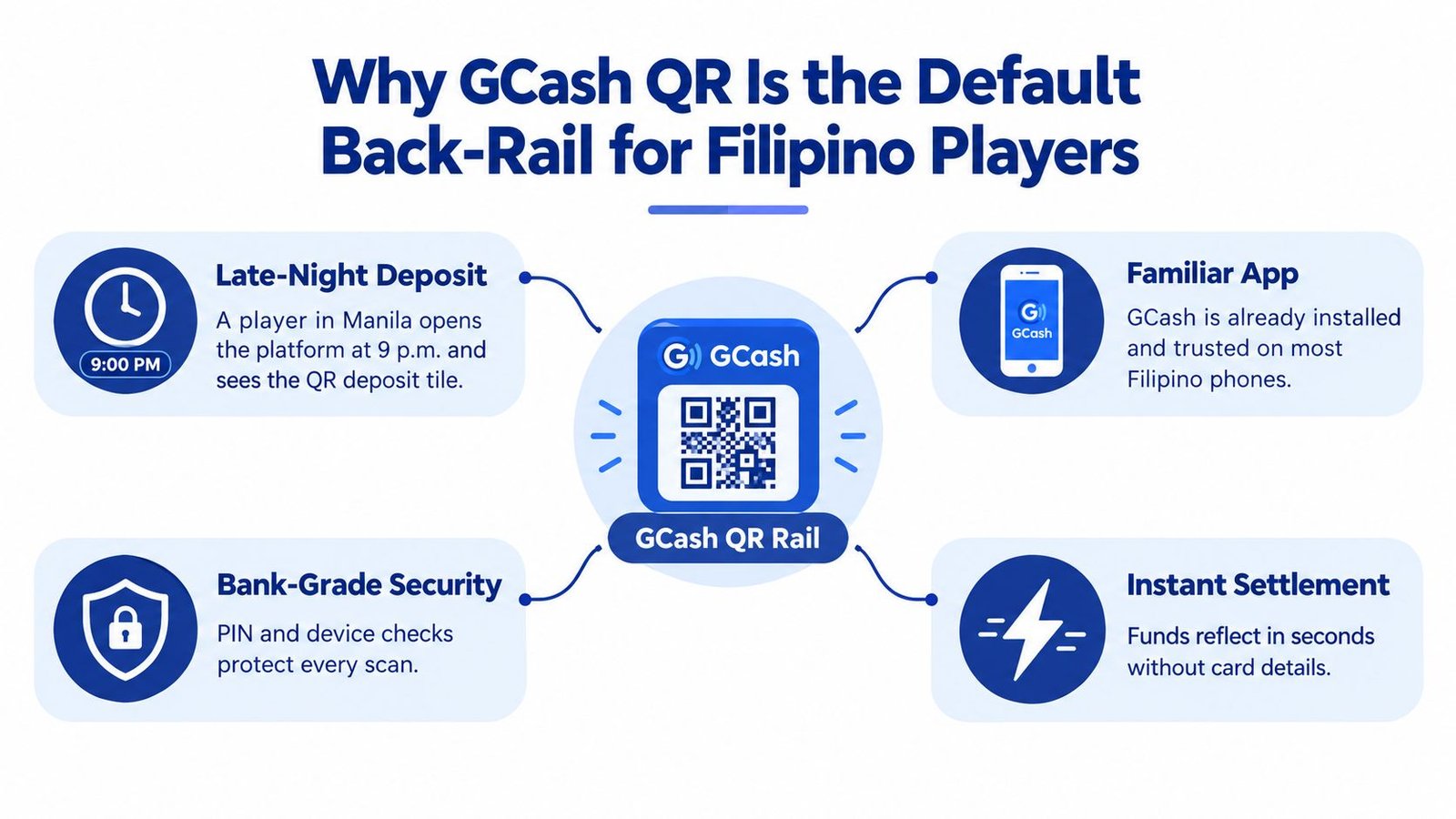
For a casino deposit, the payment rail and the gambling account remain separate systems. GCash authenticates and processes the payment, while Insta Play's cashier associates the transaction with the player's account. That means a player should retain the in-app receipt and check the casino balance rather than assuming that a scan alone completed the deposit. The Insta Play GCash casino guide provides the operator-specific context, but GCash's own limits, identity checks, and transaction rules still apply.
Practical rule: A QR code is a payment instruction, not proof that the displayed recipient is legitimate. The merchant identity must match the expected casino before authorization.
What You Need Before You Pay QR GCash
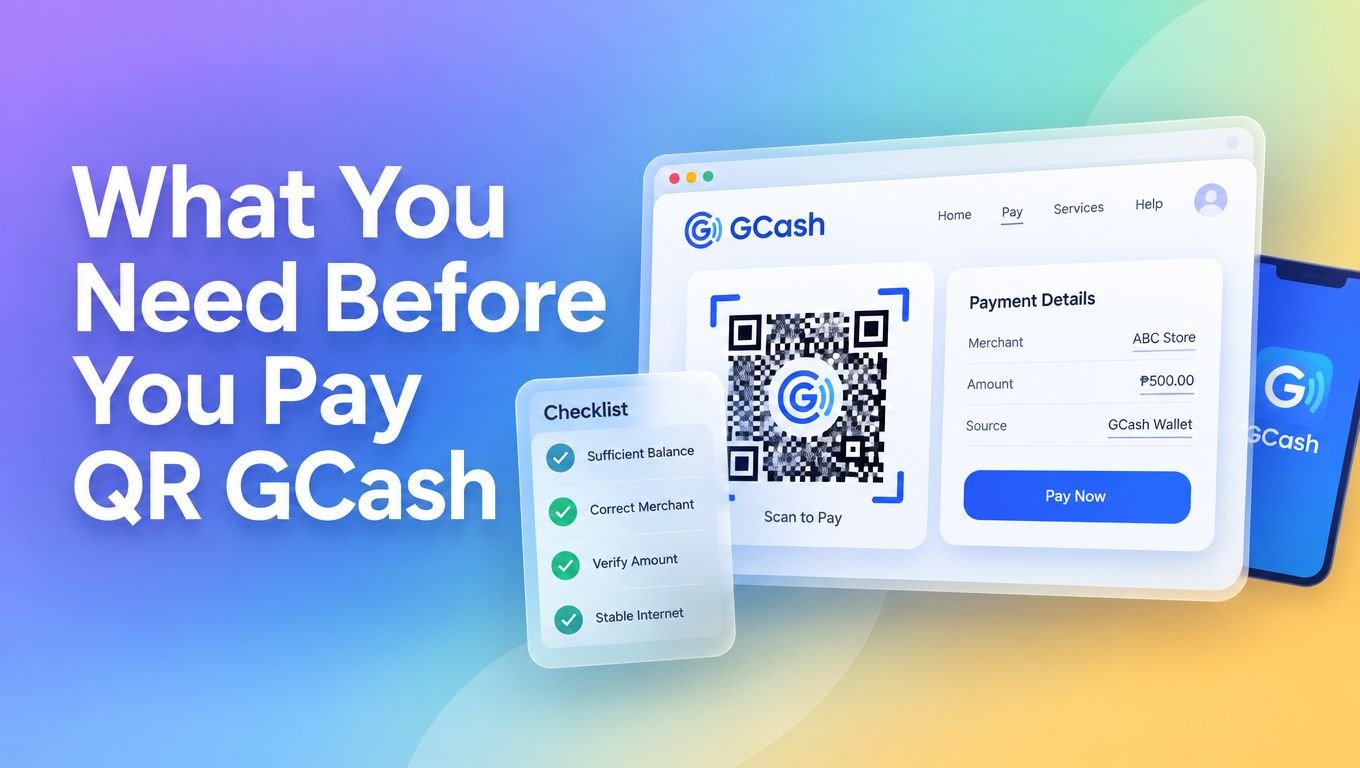
A first-time Insta Play depositor should prepare the payment before opening the scanner. The GCash application needs to be active on the registered phone, the wallet needs enough available balance, and the casino cashier needs to show a current payment request. A linked bank account does not automatically mean that the GCash wallet can fund the deposit. For example, a player may see money in a connected account but still receive a failed payment if the required funding source is the wallet itself.
Account status matters too. GCash access depends on verification and the wallet limits that apply to the user. The applicable terms state that limits apply per user, rather than separately to each wallet, and linked wallets share the relevant limits. A payment may be declined, services may be suspended, or an over-limit fee may apply after the relevant threshold is reached. The GCash account verification guide can help identify the account's verification stage, but the current GCash terms and in-app notices determine what the player can do.
The phone must also be ready to authenticate the payment. Depending on the account settings and device, GCash may request the account's MPIN or an enabled biometric method. A readable QR code only starts the process. If the player cannot complete authentication, the deposit cannot proceed.
The cashier screen matters
Use the casino cashier as the payment reference for each deposit. If it generates a dynamic merchant code, scan that current code instead of an old screenshot. A reused image may point to a different amount or an expired request, creating a mismatch between the GCash payment and the casino wallet.
International use adds another condition. GCash describes Pay QR acceptance at selected overseas merchants through Alipay+, but availability depends on the supported merchant, account settings, and payment environment. A traveler should have mobile connectivity and confirm that international payment functionality is available before scanning abroad. Current in-app instructions and checkout terms should take priority over any general payment guide.
The Scan-to-Pay Flow for a Casino Deposit
The process starts inside the GCash home screen, where the player selects Pay QR and allows camera access if the scanner requests permission. The camera then frames the merchant code shown by the Insta Play cashier. A clean scan is only the beginning, because the next screen supplies the information that determines where the money will go.
Before authorization, the player should read the displayed merchant name and compare it with the expected business identity. The amount should also match the deposit request shown in the casino cashier. A QR payload can be technically readable while the displayed recipient is wrong, so the player shouldn't approve a payment based only on the presence of GCash or QR Ph branding.
The payment summary should show the amount, recipient, and available funding source. The player needs to confirm that the intended amount will be taken from the GCash wallet, rather than assuming that a linked bank account or another funding method will automatically cover a shortfall. If the summary is inconsistent, the correct action is to cancel and return to the cashier.
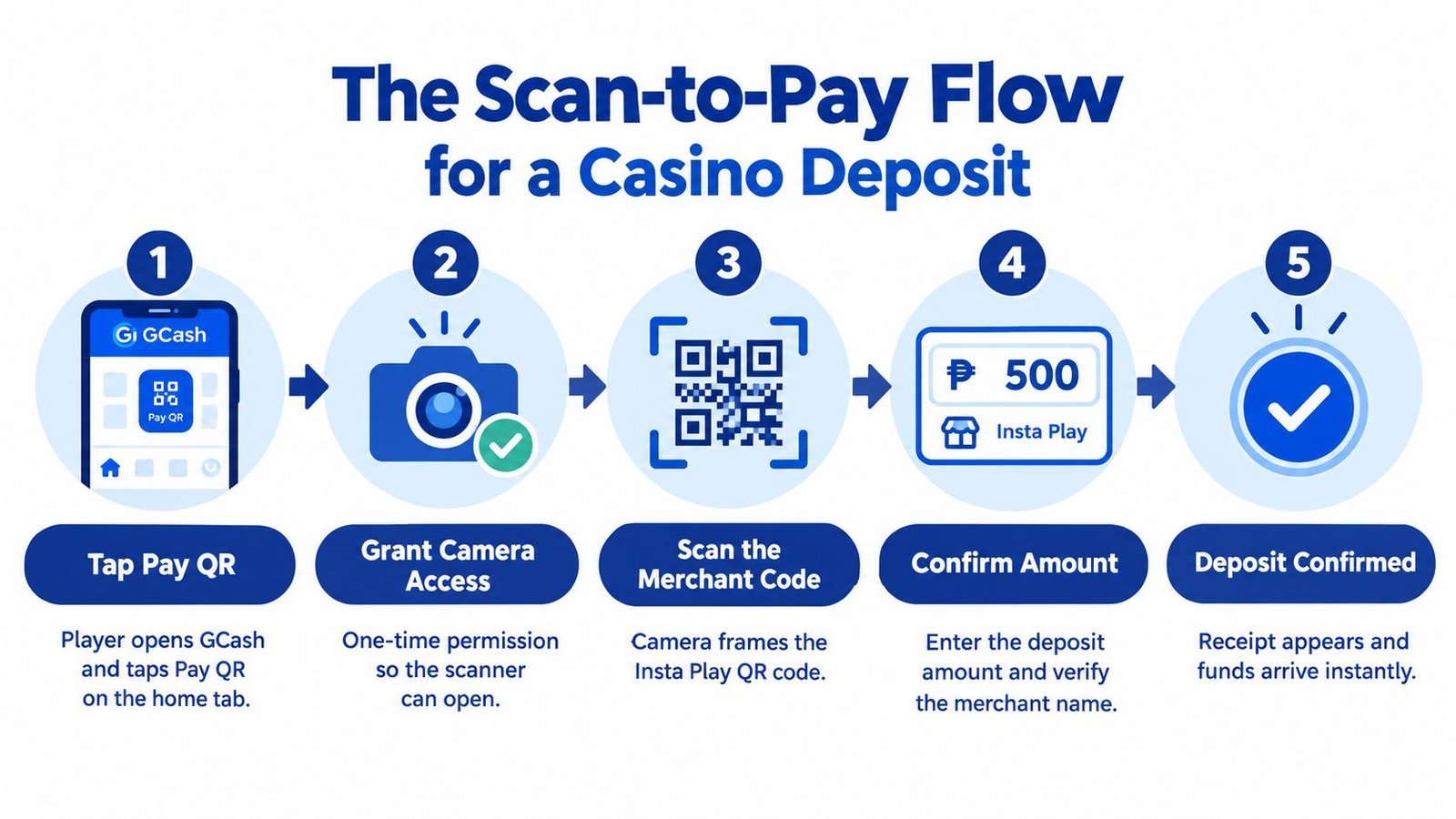
Authentication follows through the method enabled on the GCash account, such as a biometric check or MPIN. After approval, GCash presents a confirmation record containing transaction details such as the reference information, time, and debited amount. The player should save that receipt and then check whether the Insta Play wallet reflects the deposit.
GCash explains that crediting can depend on the receiving institution's clearing cycle and processing time. A casino wallet may update quickly, but the receipt remains the stronger evidence of what GCash processed. Players seeking additional information about the operator's application environment can consult the Insta Play GCash application page, while payment disputes should begin with the transaction record and the relevant support channels.
Limits, Fees, and Funding Source Nuances
A QR payment can feel frictionless while still being governed by a fee schedule and account-level limits. GCash's published fee terms state that Scan to Pay via QR has no fee for the listed service, with a maximum of PHP 10,000 per transaction and a PHP 100,000 monthly limit for a GPO. Those figures should be read alongside the user's account status, transaction type, and the latest terms, rather than treated as a universal casino-deposit allowance. The GCash fee terms provide the controlling reference.
A PHP 6,000 casino top-up falls within the published Scan to Pay transaction ceiling, assuming the account has sufficient available balance and no other applicable restriction blocks the payment. A larger requested amount may require a different cashier arrangement or another payment rail. A player shouldn't split transactions to evade a limit, because GCash terms apply limits across the user profile and linked wallets.
| Funding Source | Per-Transaction Cap | Sender Fee | Clearing Time | Monthly Limit |
|---|---|---|---|---|
| GCash wallet via listed Scan to Pay QR | PHP 10,000 under the published service terms | No fee under the listed Scan to Pay service | Depends on the receiving institution's processing | PHP 100,000 for a GPO under the published terms |
| Linked bank or card funding | Depends on the funding method and account terms | Depends on the funding method | Depends on the bank, card, and payment route | Depends on the user's shared limits |
| International merchant payment through Alipay+ | Depends on the supported service and account terms | Depends on the applicable terms | Depends on the international payment environment | Depends on the user's shared limits |
The funding source matters more than the appearance of the QR screen. Money already held in the GCash wallet is the most direct route for a standard wallet payment. If a player needs to move money from a bank first, the bank transfer and GCash availability should be confirmed before the casino QR is scanned. The GCash maximum withdrawal information may be relevant to broader account planning, but withdrawal rules shouldn't be confused with QR deposit limits.
Security Habits That Protect the Post-Scan Moment
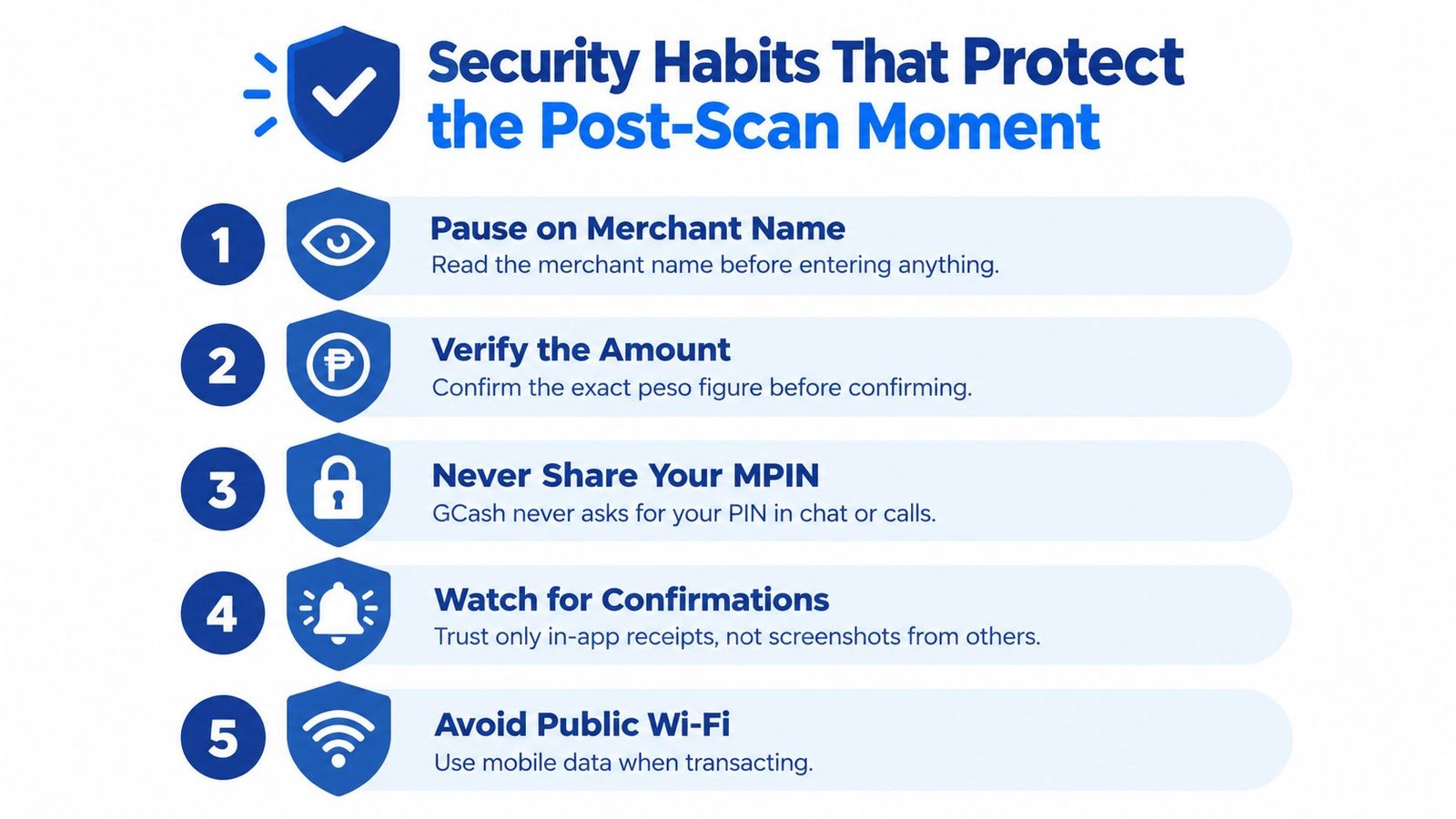
The seconds after a QR scan deserve the most attention. A player has decoded the payment instruction, but funds haven't been authorized yet. The confirmation screen is the point at which the intended casino, amount, and funding source should be checked together.
Identity before approval
A practical security routine has several parts:
- Read the merchant name: The displayed recipient should match the expected casino or payment entity. A generic, unfamiliar, or inconsistent name is a reason to stop.
- Check the amount: The figure in GCash should match the cashier request exactly. A mismatch can indicate a wrong code, a changed request, or a manipulated payment screen.
- Compare account details: Where the confirmation screen provides merchant account details, the player can compare the visible ending digits with the payment information supplied by the casino through its authenticated cashier.
- Reject live instructions: A caller or chat agent who asks for an MPIN, OTP, or fresh scan during an active payment session should be treated as suspicious. Payment authentication belongs inside the official application.
- Keep the device private: Biometric login, current application updates, and a trusted connection reduce exposure during a transaction. Screen sharing and recording should be disabled while payment credentials and confirmation details are visible.
GCash has warned about QR-related fraud, including lookalike payment pages and deceptive merchant identities. In a 2026 enforcement update, GCash said it had blocked over 4,900 fraudulent merchants linked to quishing-style abuse, as reported through its Pay QR service information. The figure shows why a successful scan isn't a sufficient safety check.
The receipt should be kept in the GCash transaction history and, where appropriate, saved with the casino deposit reference. It can support a dispute if the wallet is debited but the casino balance doesn't update. The Top 1 Rank guide to avoiding phishing scams offers additional iGaming payment-security context, but the core rule remains simple: an official-looking QR code still requires recipient verification.
Troubleshooting Failed Deposits and Choosing Alternatives
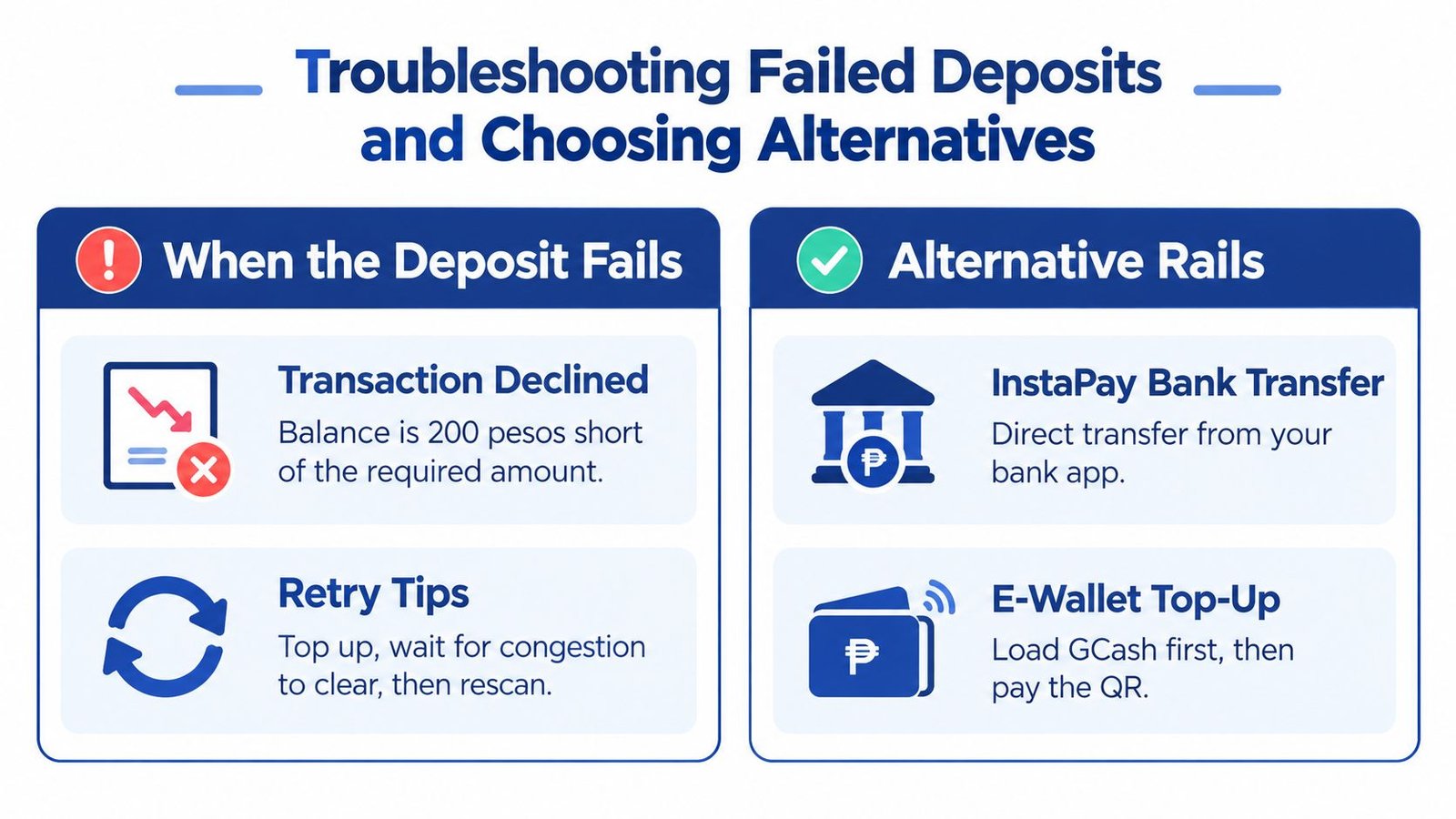
A player requests a deposit and receives a decline message. The first check is the available GCash balance against the requested amount, followed by the account's applicable limits and any service notification. A shortfall can't be fixed by rescanning the same code. The wallet needs sufficient funds before another authorization attempt makes sense.
A different failure occurs when the casino cashier no longer accepts the displayed code. In that situation, the player should return to the authenticated cashier, refresh the deposit request, and use the newly displayed payment instruction. Repeated scans of an old image can create uncertainty over which request the payment belongs to.
Match the backup rail to the problem
| Failure mode | More suitable response | Why it may help |
|---|---|---|
| Insufficient GCash balance | Fund the GCash wallet first or use a supported bank route | The player addresses the funding shortfall before retrying |
| QR code no longer works | Generate a fresh cashier request | A current request reduces ambiguity over recipient and amount |
| Wallet or user limit reached | Review the GCash terms and choose an approved alternative | Another rail may fit the transaction without bypassing account controls |
| Bank-held funds | Use a supported bank transfer or fund GCash before scanning | The money starts in a different account |
| Payment environment unavailable abroad | Confirm supported international acceptance or use another approved method | Alipay+ availability depends on the merchant and account conditions |
InstaPay bank transfer can suit a player whose funds are already in a participating bank account, while a card-supported payment route may help when wallet funding isn't practical. Cash-oriented users may prefer an operator-supported over-the-counter option, provided the casino clearly identifies the payment partner and supplies a traceable reference.
A successful bank transfer or cash deposit still needs reconciliation inside the casino account. The player should keep the bank confirmation or cashier receipt and avoid sending payment evidence to unverified contacts. Operators and affiliates that monitor payment journeys can use platforms such as Top 1 Rank to review iGaming intelligence and payment-related market information, but no analytics tool replaces account-level verification during a live deposit.
When Pay QR GCash Is the Right Choice and When It Is Not
Pay QR GCash fits a player who has a verified Philippine wallet, enough available balance, and a modest casino deposit that falls within the applicable GCash and operator rules. It offers a familiar approval path and avoids manual entry of card or bank details. The value comes from matching the rail to the transaction, not from treating QR as a universal payment solution.
| User Profile | Best Rail | Why |
|---|---|---|
| Verified Philippine wallet with available balance | GCash Pay QR | Direct wallet funding with a familiar scan-and-authorize flow |
| Player whose money is held in a bank | Supported bank transfer or wallet funding first | The source account matches the payment route |
| Deposit that exceeds the applicable QR ceiling | Approved alternative rail | The transaction needs a method with suitable limits |
| Account facing verification or shared-limit restrictions | Complete the required account process or use an approved alternative | A different QR scan won't remove GCash controls |
| Player making an international payment | Supported Alipay+ route after checking terms | Currency, merchant availability, and authentication may differ |
| Player who prefers physical cash | Operator-supported over-the-counter method | Cash handling may better match the player's funding preference |
QR isn't a workaround for identity checks, wallet ceilings, or merchant verification. It becomes the wrong choice when the transaction size, funding location, account status, or geography falls outside its practical sweet spot. In those cases, InstaPay, card funding, or another operator-supported method may be more appropriate, provided the player checks the fee, settlement, and verification conditions before confirming.
A casino deposit should be considered complete only when two records agree: the GCash receipt shows the authorized payment, and the casino wallet shows the matching credit. Players preparing a deposit through Insta Play should open the authenticated cashier, verify the merchant identity and amount in GCash, save the receipt, and contact official support immediately if the wallet balance doesn't reconcile.
Before making a Pay QR GCash deposit, confirm the available balance, review the merchant name, authorize only inside the official GCash app, and keep the transaction reference until the casino wallet reflects the funds. For operator and payment-market analysis, follow Top 1 Rank's coverage of iGaming payments, compliance, and technology at instaplayph.com.





Join thousands of gaming professionals receiving the latest iGaming news, regulatory updates, and market insights.
